
Choosing the right contact form plugin is crucial for effective communication between your website and visitors. A well-designed contact form not only facilitates inquiries but also helps capture leads, manage customer feedback, and enhance overall user experience. With countless options available, finding a plugin that balances ease of use, customization, and robust functionality can be challenging.
This guide highlights the top contact form plugins for WordPress, each offering unique strengths—from simple, lightweight solutions to advanced forms with payment integration and analytics. Whether you’re a beginner or a developer, you’ll find the ideal tool here to streamline communication and boost your site’s engagement.
What to Look for in a Contact Form WordPress Plugin
When selecting a contact form plugin, several key factors will determine how well it serves your website’s goals.
- Ease of Use: Intuitive drag-and-drop builders or shortcode support for quick setup.
- Customization: Options for form fields, styles, layouts, and branding.
- Spam Protection: Built-in CAPTCHA or reCAPTCHA to minimize spam submissions.
- Integrations: Compatibility with email marketing services, CRMs, and payment gateways.
- Mobile Responsiveness: Forms that work flawlessly on all devices.
- Data Management: Ability to store, export, and manage form submissions securely.
- Performance Impact: Lightweight code that won’t slow your site.
- Compliance: Features that support GDPR and other privacy regulations.
Prioritizing these will ensure you implement a contact form that is both functional and user-friendly.
11 Best Contact Form WordPress Plugins
1. Quform
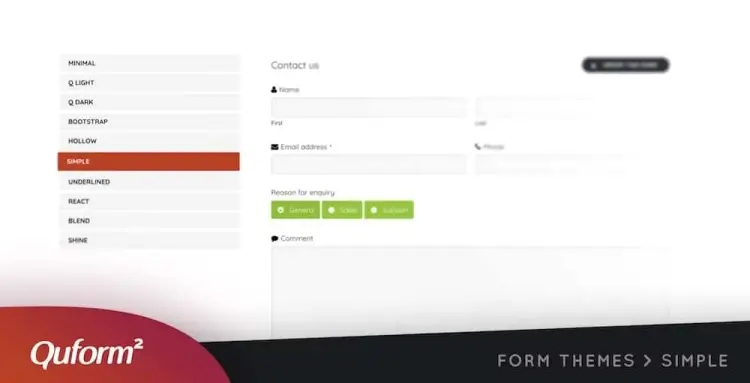
Quform is a highly customizable contact form plugin that offers over 15 form elements and an intuitive drag-and-drop builder. It includes built-in reCAPTCHA for spam protection, supports RTL for internationalization, and provides a fully responsive layout that adapts beautifully across devices. Whether you’re crafting a basic contact form or a multi-step inquiry form, Quform gives you complete control.
Its biggest strength lies in its seamless user interface, which allows users of all technical backgrounds to design forms quickly. Developers will appreciate its compatibility with popular translation plugins, while marketers and business owners benefit from its clean layout and mobile optimization. The plugin’s customization options extend to fonts, colors, and behaviors, allowing for complete brand alignment.
Priced at $34, Quform has earned the trust of more than 34,000 users and maintains a strong 4.7/5 rating. Its built-in security and polished look make it ideal for businesses that want a secure, professional way to communicate with site visitors without sacrificing aesthetics or flexibility.
Quform features:
- Intuitive drag-and-drop form builder with 15+ form elements
- Built-in reCAPTCHA for spam protection
- Fully responsive layout with RTL support
- Extensive customization of fonts, colors, and behaviors
- Compatible with popular translation plugins
2. FormCraft

FormCraft is a stylish and powerful plugin known for its easy drag-and-drop builder and wide range of form customization options, including fonts, layouts, and colors. It is incredibly lightweight, ensuring that it doesn’t bog down your site speed—a critical factor for user experience and SEO. Moreover, it integrates with real-time analytics tools, allowing users to monitor conversions and form activity.
Where FormCraft truly shines is in its analytics capabilities. You can assess how visitors are interacting with your forms and track submissions, payments, and abandonment rates. This makes it ideal for businesses focused on data-driven decision-making and optimizing their conversion funnels.
With a price point of $30, over 20,800 sales, and a solid 4.4/5 rating, FormCraft is a balanced option for those who want beautiful, functional forms paired with intelligent tracking tools. Plus, the 10-day money-back guarantee adds a risk-free layer of confidence for first-time users.
FormCraft features:
- Easy drag-and-drop builder with customizable fonts, layouts, and colors
- Lightweight code for minimal site speed impact
- Real-time analytics to track form conversions and user interactions
- Supports payment forms and abandonment rate tracking
- Integrates with popular marketing and analytics tools
3. Contact Form 7

Contact Form 7 is one of the most widely used contact form plugins, with over 5 million active installations. It offers a simple interface that supports multiple forms, Ajax-powered submissions, CAPTCHA, and spam filtering through Akismet. It’s lightweight, free, and easy to implement even for non-technical users.
The plugin is particularly appealing because of its straightforward approach. It allows users to create and customize forms via shortcodes and offers full control over the email content and recipient logic. For developers, its extensibility through add-ons makes it a versatile tool, despite its minimalist UI.
Though its user interface may feel dated to some, its 4.1/5 rating reflects consistent performance and reliability. Contact Form 7 remains a go-to solution for bloggers, small businesses, and developers who need a no-frills contact form with proven stability and broad community support.
Contact Form 7 features:
- Simple shortcode-based form creation with multiple form support
- Ajax-powered submissions with CAPTCHA and Akismet spam filtering
- Lightweight and free with minimal performance impact
- Fully customizable email content and recipient logic
- Extensible through numerous third-party add-ons
4. Ninja Forms

Ninja Forms is a free yet feature-rich plugin designed for ease of use without sacrificing functionality. It offers a beginner-friendly interface along with advanced options such as payment integration and conditional logic. Users can also save their favorite field types for future use, speeding up form creation.
What makes Ninja Forms particularly compelling is its modular nature. You can start with the free version and expand as needed through premium add-ons—everything from email marketing integrations to CRM tools. It’s also optimized for SEO, meaning your forms load quickly and don’t negatively affect search rankings.
With over 800,000 active installations and a 4.4/5 rating, Ninja Forms remains a top pick for site owners who want scalable form solutions. Whether you’re collecting leads or processing payments, it offers the perfect balance between flexibility and usability.
Ninja Forms features:
- Beginner-friendly drag-and-drop interface with saved field templates
- Modular system with premium add-ons for marketing and payment integration
- SEO-optimized for fast form loading
- Supports conditional logic and payment gateways
- Free core plugin with scalable premium extensions
5. Formidable

Formidable is built for users who need more than a simple contact form. It supports file uploads, payment gateways, advanced styling, and even data visualization. The drag-and-drop builder makes it approachable, while the export/import functionality ensures that form data is portable and manageable.
Its strength lies in its adaptability. Whether you’re building a complex multi-page form or collecting job applications, Formidable can handle it all. Developers will appreciate the ability to create custom calculations, while marketers benefit from the form’s native email notification system for instant responses.
With over 300,000 installations and an excellent 4.7/5 rating, Formidable is perfect for growing businesses that require both power and flexibility. It’s a top-tier choice for those who need more than just a basic contact form plugin.
Formidable features:
- Drag-and-drop builder with advanced styling and multi-page forms
- Supports file uploads, payment gateways, and custom calculations
- Export/import form data for easy management
- Native email notifications for instant responses
- Powerful enough for complex applications like job forms and surveys
6. Contact Form by BestWebSoft

BestWebSoft’s Contact Form plugin offers a fast and easy setup process, with features like customizable email recipients, attachment support, and auto-reply messages. Its interface is beginner-friendly, and the plugin works seamlessly with most WordPress themes.
This plugin stands out for ensuring that communication doesn’t fall through the cracks. Users can designate specific team members to receive form submissions and create custom thank-you responses. It also includes anti-spam measures such as CAPTCHA and Google reCAPTCHA.
With 50,000+ active users and a 4/5 rating, this free plugin is a great fit for small businesses or personal blogs that want a professional and secure contact form without the complexity of more advanced tools.
Contact Form by BestWebSoft features:
- Quick setup with customizable email recipients and auto-replies
- Supports file attachments and integrates with most WordPress themes
- Built-in CAPTCHA and Google reCAPTCHA for spam protection
- Allows assigning different recipients for different forms
- Beginner-friendly interface ideal for small businesses and blogs
7. Forminator

Forminator is more than a contact form plugin—it’s a complete interaction toolkit. It supports quizzes, surveys, polls, payment forms, and more. With over 1,000 integrations, including Mailchimp and Google Sheets, Forminator adapts easily to virtually any workflow.
It excels in versatility and user engagement. Whether you’re collecting leads or feedback, running a contest, or conducting market research, Forminator’s clean design and scheduled export features keep everything organized and running smoothly.
Trusted by 500,000+ sites and rated 4.8/5, Forminator is one of the most dynamic plugins on the market. It’s an excellent pick for agencies, educators, and content creators looking to turn static forms into interactive experiences.
Forminator features:
- Supports contact forms, quizzes, surveys, polls, and payment forms
- Over 1,000 integrations including Mailchimp and Google Sheets
- Scheduled exports and detailed form analytics
- Interactive, user-engagement focused design
- Suitable for agencies, educators, and marketers
8. Visual Form Builder

Visual Form Builder combines sleek design with powerful backend features. It includes drag-and-drop functionality, automatic form saving, export to CSV, and fully customizable confirmation messages. You can create everything from simple contact forms to more detailed questionnaires.
The plugin is ideal for users who want stylish forms without writing a single line of code. Its form database management is a standout feature, allowing you to view, edit, and archive submissions directly from the dashboard.
With 30,000+ installations and a 4.2/5 rating, Visual Form Builder is well-suited for businesses and bloggers who value both aesthetics and usability. It strikes a strong balance between form presentation and back-end control.
Visual Form Builder features:
- Drag-and-drop form creation with automatic saving
- Export submissions to CSV with customizable confirmation messages
- Form database management directly from the WordPress dashboard
- Ideal for stylish forms without coding
- Suitable for businesses and bloggers valuing usability and aesthetics
9. Form Maker

Form Maker offers a wide array of pre-designed templates, multi-page form support, and payment processing integration. With conditional logic and customizable themes, it gives users all the tools they need to create powerful forms with ease.
Its intuitive interface is backed by thorough documentation, making it accessible to both novice users and advanced developers. Whether you need a survey, booking form, or donation page, Form Maker simplifies the process.
Boasting 60,000+ installations and a 4.5/5 rating, Form Maker is a dependable option for anyone who wants robust functionality without a steep learning curve. It’s ideal for service providers, nonprofits, and e-commerce brands alike.
Form Maker features:
- Wide selection of pre-designed templates and multi-page form support
- Payment integration and conditional logic included
- Customizable themes for brand consistency
- Intuitive interface with detailed documentation
- Suitable for surveys, bookings, donations, and e-commerce forms
10. Simple Basic Contact Form

Simple Basic Contact Form lives up to its name by offering a fast, clean, and highly efficient solution. It doesn’t rely on JavaScript, which makes it lightweight and ideal for performance-optimized websites. Setup takes minutes, and the interface is straightforward.
It’s best for users who need just the essentials: a working contact form with solid spam protection. There’s no fluff, no bloat—just a fast-loading, mobile-responsive form that does the job reliably.
With 10,000+ installations and a glowing 4.8/5 rating, this plugin is perfect for minimalist websites or landing pages where simplicity and speed are paramount.
Simple Basic Contact Form features:
- Lightweight and fast with no JavaScript dependencies
- Simple and clean interface for quick setup
- Built-in spam protection features
- Mobile-responsive and performance-optimized
- Perfect for minimalistic websites and landing pages
11. Everest Forms

Everest Forms combines design flexibility with legal compliance, making it a smart choice for businesses operating in strict regulatory environments. It includes a variety of pre-built templates, responsive layouts, and drag-and-drop customization tools—all with zero coding required.
Its speed and ease of use make it ideal for both beginners and experienced users. Everest Forms supports advanced features like multi-column layouts and smart conditional logic, making even complex forms easy to build and manage.
With 100,000+ active installations and a near-perfect 4.9/5 rating, Everest Forms is a top-tier plugin that delivers on all fronts—form functionality, mobile performance, and GDPR-readiness. It’s a modern, secure option for growing websites.
Everest Forms features:
- Drag-and-drop builder with pre-built templates and responsive design
- Supports multi-column layouts and advanced conditional logic
- GDPR compliant with legal features built-in
- Easy for both beginners and advanced users
- Fast-loading, secure, and scalable for growing websites
FAQ
1. Can I use contact form plugins for more than just contact forms?
Yes, many plugins like Forminator and Formidable support quizzes, surveys, payment forms, and more, extending functionality beyond basic contact forms.
2. How do these plugins protect against spam submissions?
Most include CAPTCHA, reCAPTCHA, or integration with anti-spam services like Akismet to filter out automated and malicious form entries.
3. Are these plugins compatible with page builders like Elementor or Gutenberg?
Many of the top plugins offer widgets, blocks, or shortcodes that integrate seamlessly with popular page builders for easy placement.
4. Can I export form submission data?
Yes, most plugins provide options to export submissions as CSV or other formats for easy data management and reporting.
5. Is it necessary to pay for premium versions?
It depends on your needs; free versions cover basic contact forms well, but premium upgrades often unlock advanced features like payment processing, conditional logic, and integrations.
Conclusion
A reliable contact form plugin is essential for fostering clear communication and capturing valuable leads on your WordPress site. Whether you need a simple contact form or a comprehensive solution with advanced integrations, the plugins reviewed here provide a spectrum of powerful options tailored to diverse needs and skill levels.
Investing in the right contact form plugin not only enhances user experience but also improves your workflow and data handling. By choosing a tool that offers ease of use, security, and customization, you’ll empower your website to connect meaningfully with visitors and grow your online presence.