
The food industry’s shift toward online ordering has made choosing the right WordPress food ordering plugin a critical decision for restaurants and food businesses. A well-chosen plugin streamlines the ordering process, improves kitchen efficiency, and enhances customer satisfaction, all while fitting seamlessly into your existing website. This guide evaluates the top plugins available today, offering insights into their features, usability, and value.
From simple setups for small cafes to robust systems for multi-location restaurants, the plugins covered here cater to a variety of operational needs and budgets. Whether you want advanced order management, flexible menu customization, or integrated delivery solutions, this guide will help you identify the best tools to transform your online food ordering experience.
What to Look for in a Food Ordering WordPress Plugin
When selecting a food ordering plugin, focus on these key aspects to ensure it meets your restaurant’s operational and customer engagement goals.
- Order Management Features: Real-time updates, automatic notifications, and efficient order tracking are essential for smooth kitchen workflows.
- Menu Flexibility: The ability to customize menus, add modifiers, and support multiple menus or locations enhances the customer experience.
- Payment and Delivery Integration: Compatibility with secure payment gateways and delivery zone management ensures smooth transactions and logistics.
- User Interface and Responsiveness: A clean, mobile-friendly design allows customers to order easily from any device.
- Support and Documentation: Reliable support and thorough documentation reduce downtime and simplify plugin setup and maintenance.
Prioritizing these factors will help you implement a system that not only works flawlessly but also delights your customers.
11 Best Food Ordering WordPress Plugins
1. WooFood
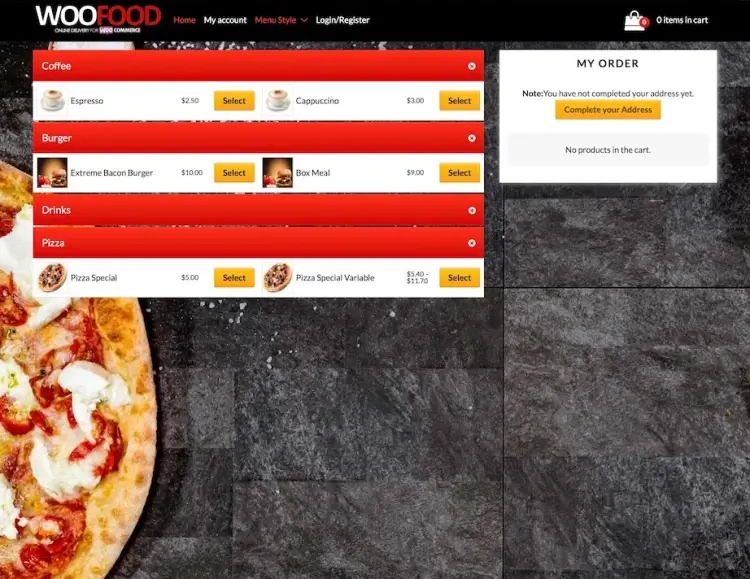
WooFood stands out as a full-service solution for online food ordering systems. One of its strongest features is the built-in automatic printing software, which allows for immediate ticket generation—greatly improving order processing efficiency in fast-paced kitchens. The plugin also includes real-time order management, enabling restaurant staff to accept, decline, or update orders with estimated delivery times. For multi-location operations, its MultiStore feature supports multiple menus, and its flexible menu configuration lets you define single, multiple, or limited-choice items.
What sets WooFood apart is how seamlessly it integrates with your WordPress theme. Its sleek and responsive design helps maintain a polished user experience across devices. The ability to automatically notify customers of order updates not only keeps them informed but also reduces the workload on customer service teams. WooFood’s backend dashboard is intuitive, helping restaurant owners and staff manage orders with minimal training.
Backed by over 1,800 sales and a perfect 5-star rating, WooFood has become a trusted choice for restaurants seeking efficiency and professionalism. Though its price tag of $199 may seem high, the return on investment is quickly realized through time savings, customer satisfaction, and reduced operational chaos. For busy restaurants that rely on speed and order accuracy, WooFood is a top-tier solution.
WooFood features:
- Built-in automatic order ticket printing for fast kitchen processing
- Real-time order management with accept, decline, and delivery time updates
- MultiStore support for multiple menus and locations
- Responsive, sleek design that integrates smoothly with WordPress themes
- Automatic customer notifications on order status changes
2. WooCommerce Food
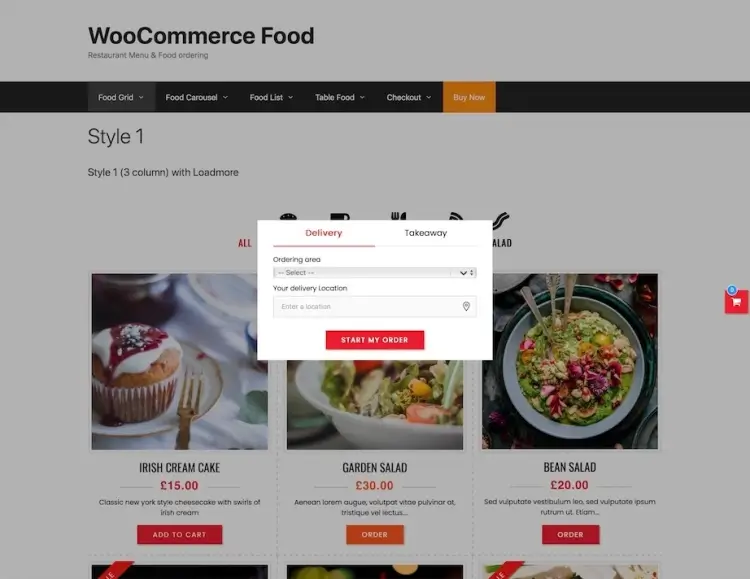
WooCommerce Food delivers a powerful and user-friendly food ordering experience with minimal setup effort. Integrated directly with WooCommerce, this plugin brings valuable features such as location-based delivery restrictions via the Google Maps API, and customizable delivery fees according to zones. Its clean interface is matched by its intuitive navigation and multiple layout options, making it easy to present your menu in a way that suits your brand.
The plugin doesn’t require any coding knowledge, allowing restaurant owners to configure their setup independently. Whether you’re offering dine-in, takeaway, or delivery, WooCommerce Food supports a range of ordering scenarios. Combined with WooCommerce’s robust payment gateways, it becomes a flexible platform suited for businesses of all sizes. Personalization options extend to fonts, colors, and product detail views.
With over 3,300 sales and an average rating of 4.9/5, WooCommerce Food is well-received by users. Priced affordably at $49, it provides exceptional value, particularly for restaurant owners who want professional-grade tools without hiring developers. The plugin empowers small to mid-sized restaurants to handle orders with confidence, efficiency, and style.
WooCommerce Food features:
- Location-based delivery zones with Google Maps API integration
- Customizable delivery fees by zone
- Multiple layout options for menu presentation
- No coding required, easy setup for all restaurant types
- Full compatibility with WooCommerce payment gateways
3. FoodBook
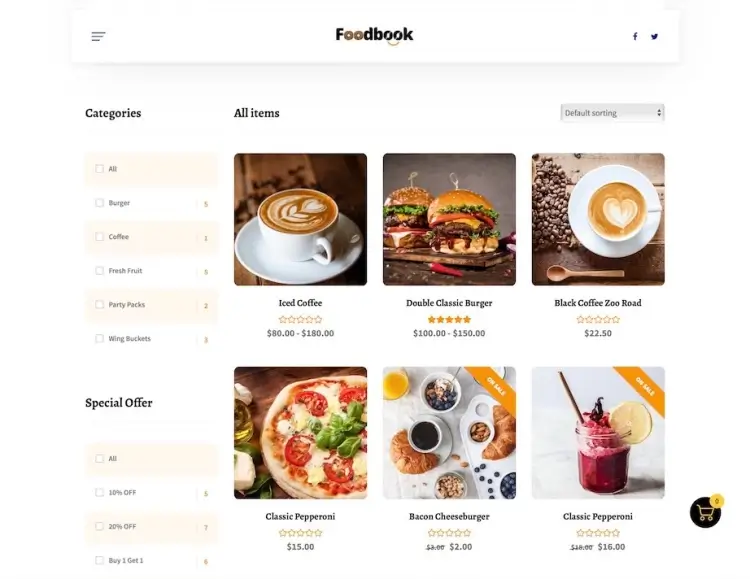
FoodBook is tailored for restaurant owners seeking a seamless blend of functionality and aesthetics. Designed to work flawlessly with WooCommerce, it provides tools like real-time order notifications, live search filtering, and menu customization for specific staff roles. This makes it not only customer-centric but also team-friendly, ensuring staff can manage and prepare orders efficiently without miscommunication.
The plugin focuses on clarity and ease of use, which translates to a better experience for both administrators and customers. Features like invoice printing and intuitive dashboard access ensure that restaurant staff remain organized even during peak hours. Its live search function improves customer satisfaction by making it easy to find dishes quickly.
Priced at $49 and boasting a 4.9/5 rating from over 740 sales, FoodBook is an excellent mid-tier option for eateries that prioritize speed and internal coordination. Whether you’re running a small bistro or a fast-paced delivery kitchen, FoodBook ensures that no order is missed, and every dish reaches the customer on time.
FoodBook features:
- Real-time order notifications and live search filtering
- Role-based menu customization for staff
- Invoice printing and organized dashboard access
- WooCommerce compatibility for payments and orders
- Customer-friendly, quick dish search and order placement
4. WP Cafe Pro
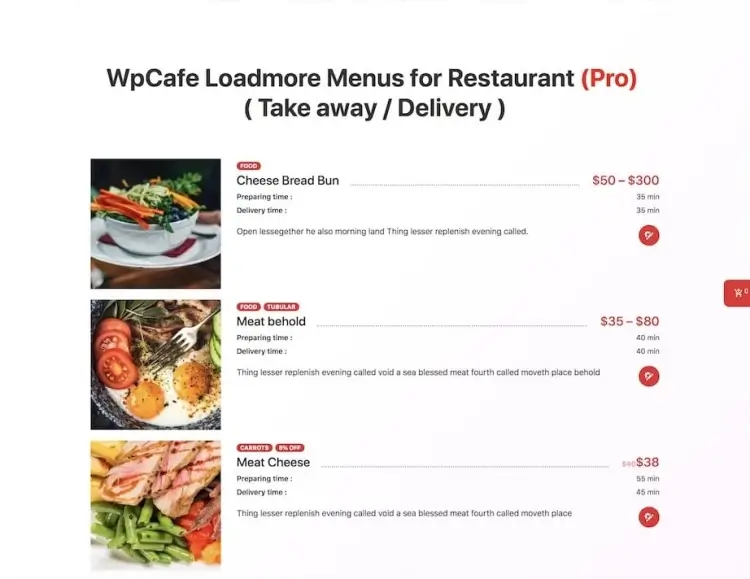
WP Cafe Pro brings a smart, modern solution for restaurants looking to digitize their ordering process. The plugin supports core features through a free version and expands significantly in its premium tier. With more than 20 unique menu styles, Elementor compatibility, and responsive layouts, WP Cafe Pro enables full control over visual presentation and user experience. It’s built to accommodate both small cafés and full-service restaurants.
One of its most notable strengths is its flexibility—users can customize layouts, color schemes, and typography without touching a line of code. Whether managing dine-in reservations or takeout orders, WP Cafe’s backend tools streamline order processing and presentation. It’s also mobile-friendly, ensuring customers can browse and order comfortably from any device.
With a 4.5/5 rating and over 190 purchases, WP Cafe Pro strikes a balance between usability and features. At $119, it provides good value for restaurants ready to level up their online services. Ideal for those just stepping into digital ordering, it bridges the gap between entry-level functionality and premium performance.
WP Cafe Pro features:
- 20+ unique menu styles and Elementor compatibility
- Fully customizable layout, colors, and typography without coding
- Mobile-friendly design for seamless ordering on any device
- Supports dine-in reservations and takeout orders
- Intuitive backend order processing tools
5. Food Online for WooCommerce
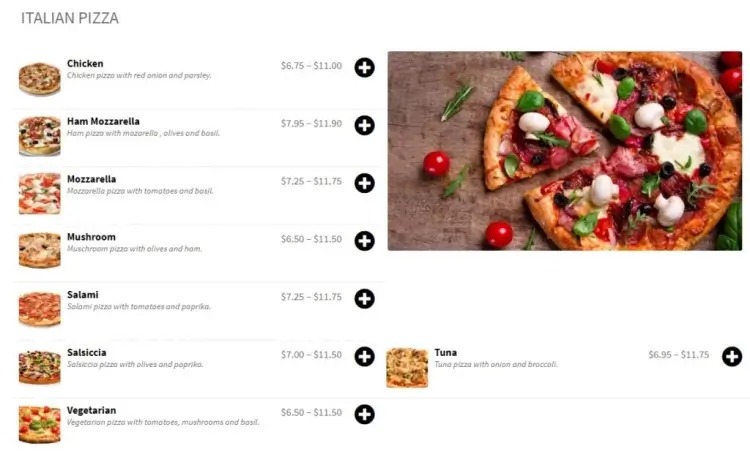
Food Online for WooCommerce redefines simplicity for food ordering plugins. It offers a clean, intuitive interface that is easy to set up, making it ideal for users without a technical background. Two menu formats are available to cater to dietary or service preferences, and the plugin allows easy customization with color themes and icons for a more branded experience.
Functionally, it supports WooCommerce’s full payment and order management system, allowing for seamless integration with existing online shops. It also makes adding detailed product information—like ingredients, allergens, or pricing—an effortless task. The lightweight setup ensures minimal load on your server, resulting in faster browsing and ordering.
Although free, this plugin doesn’t skimp on value. With 600+ active installations and a solid 4.1/5 rating, Food Online is perfect for small businesses or cafés wanting to test online ordering capabilities. It’s a no-risk option that provides enough functionality to improve the ordering experience without overwhelming new users.
Food Online for WooCommerce features:
- Clean, simple interface with two menu format options
- Full integration with WooCommerce payment and order management
- Customizable color themes and icons for branding
- Lightweight and fast-loading for better user experience
- Easy addition of product details like ingredients and allergens
6. FoodBook Light
FoodBook Light is the stripped-down yet capable version of the premium FoodBook plugin. Built with WooCommerce compatibility in mind, it provides essential ordering tools such as delivery and pickup options, shortcode placement flexibility, and a minimal menu design that aligns with your theme. It also supports scheduled delivery time slots—a feature often only found in premium tools.
This plugin is best suited for users who prefer a lean system with straightforward setup and configuration. The interface is uncomplicated and focuses on efficiency. It also maintains responsiveness across devices, ensuring mobile customers enjoy a smooth experience.
Though it has fewer installations (100+), FoodBook Light boasts a perfect 5/5 rating. This indicates strong satisfaction among early adopters. It’s particularly appealing to small restaurants that need essential features without complexity, making it an excellent entry-level option for online ordering systems.
FoodBook Light features:
- Essential ordering features including delivery and pickup options
- Flexible shortcode placement for menus
- Scheduled delivery time slots support
- Minimalist design aligned with site theme
- Mobile responsive for smooth ordering on all devices
7. RestoPress
RestoPress offers a feature-rich experience tailored to high-demand food service businesses. Key offerings include real-time push notifications for new orders, detailed sales reporting, and support for multiple payment methods. The user interface is intuitive on both ends—administrative and customer-facing—reducing the learning curve for new users.
One of the plugin’s strongest aspects is its reporting system, which provides actionable insights into customer behavior and business performance. These analytics help restaurants make better inventory decisions and marketing strategies. It’s also compatible with major themes, ensuring brand consistency across your site.
With over 2,000 active installations and a 4.3/5 rating, RestoPress has gained traction as a powerful tool for restaurant order management. It’s especially valuable for those looking to centralize food ordering, delivery coordination, and business intelligence within one dashboard.
RestoPress features:
- Real-time push notifications for new orders
- Detailed sales and performance reporting
- Supports multiple payment methods
- Intuitive interface for both admins and customers
- Compatible with major WordPress themes
8. Five Star
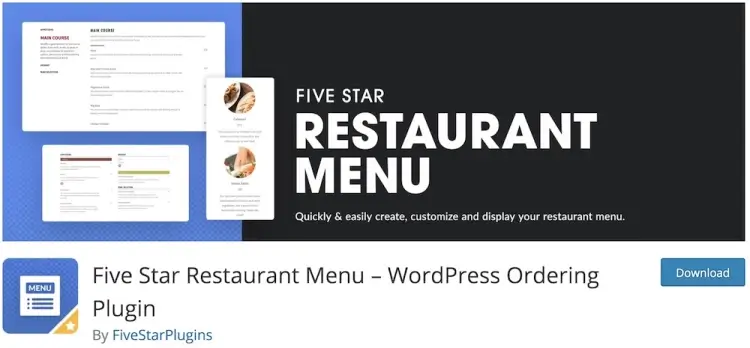
Five Star is a visually engaging plugin built for restaurant owners who care about presentation and usability. It features a powerful menu builder, support for unlimited menus, and intuitive Gutenberg integration. The ability to define ordering hours ensures that customers only place orders during available service times.
Its layout and customization tools make Five Star an attractive option for upscale or boutique restaurants that rely heavily on branding and style. The drag-and-drop menu builder allows even novice users to design polished menus with minimal effort.
With over 7,000 installations and a strong 4.6/5 rating, Five Star has become a trusted plugin among WordPress users. Whether used for dine-in reservations or online food orders, this plugin offers an ideal blend of functionality and aesthetics for a low-cost solution.
Five Star features:
- Powerful drag-and-drop menu builder
- Support for unlimited menus and flexible ordering hours
- Gutenberg block integration for easy content editing
- Highly customizable layout for branding and style
- Designed for upscale restaurants focusing on presentation
9. Gloria Food
Gloria Food offers more than just food ordering—it includes reservation systems, add-ons and toppings management, and unlimited menu items. Its setup wizard ensures a quick launch, and users are guided through each step, making it beginner-friendly. Its one-page checkout process is efficient, ensuring a smooth customer experience.
The plugin supports detailed customizations for complex dishes, allowing for toppings, sides, and modifications—perfect for pizzerias, sandwich shops, or sushi restaurants. Its responsive design and mobile optimization ensure it looks great on any device.
With 10,000+ installations and a 4.4/5 rating, Gloria Food stands out as one of the most popular free food ordering plugins available. Its depth of features, paired with ease of use, makes it a no-brainer for restaurants that want robust features without upfront investment.
Gloria Food features:
- Includes food ordering and table reservation systems
- Add-ons and toppings management for complex dishes
- Quick setup wizard for easy plugin configuration
- One-page checkout for smooth customer experience
- Responsive and mobile-optimized design
10. WP Cafe
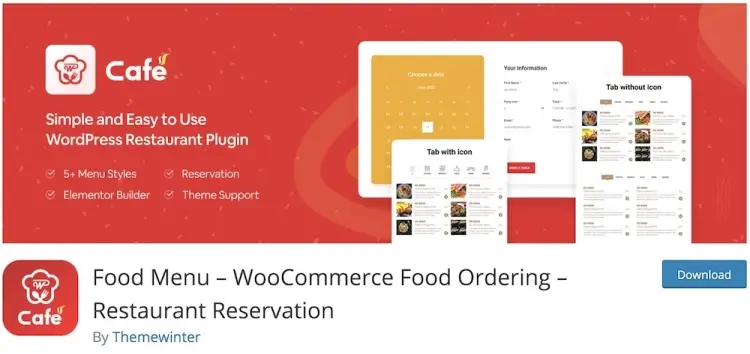
WP Cafe offers a full-suite restaurant management system. In addition to food ordering, it includes advanced reservation systems, real-time dashboards, and customizable menu layouts. Users can manage both orders and bookings from a centralized interface, saving time and improving coordination.
This version enhances the free plugin’s core by adding sophisticated features tailored for mid to large-sized restaurants. The stylish menu layouts help maintain a cohesive brand image, and the real-time dashboard provides clarity on all operations.
With over 7,000 active installations and a high 4.7/5 rating, WP Cafe is a top choice for ambitious restaurants. While it costs $199, the value it brings in operational efficiency and branding capabilities justifies the investment for growth-focused businesses.
WP Cafe features:
- Advanced reservation system alongside food ordering
- Real-time operational dashboard for orders and bookings
- Customizable, stylish menu layouts for branding consistency
- Centralized management of orders and reservations
- Enhanced tools for mid to large-sized restaurant operations
11. Food Store
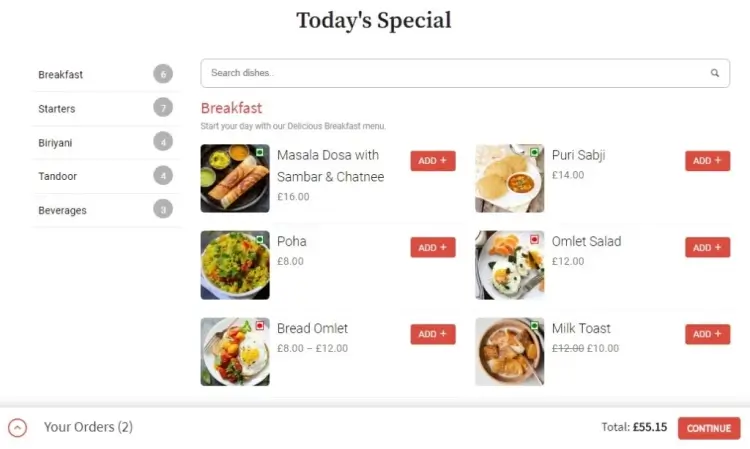
Food Store is a minimalist plugin designed for clarity and speed. With its clean layout and simple configuration, it helps users launch an online ordering system without clutter or confusion. Customers can set delivery times and view dietary labels—like vegan or gluten-free—making the ordering process informative and user-friendly.
The plugin is WooCommerce-based, meaning it inherits all the strengths of that platform—including secure payments and order tracking. Its lightweight footprint ensures fast loading times, which can contribute to better SEO and customer retention.
Despite being free, Food Store has over 2,000 installations and a flawless 5/5 rating. Its straightforward nature appeals to small restaurants or food startups looking for a hassle-free solution that covers all the basics efficiently.
Food Store features:
- Minimalist, clean layout focused on clarity and speed
- Supports delivery time settings and dietary labels
- WooCommerce-based with secure payment and order tracking
- Lightweight for fast loading and better SEO
- Easy setup, ideal for small restaurants or startups
FAQ
1. Can I customize the menu appearance with these plugins?
Yes, most plugins offer various customization options including layout styles, colors, fonts, and menu item details to align with your branding.
2. Are these plugins compatible with all WordPress themes?
Generally, yes, but it’s advisable to test on your specific theme to ensure full compatibility and smooth integration.
3. Do I need technical skills to set up these plugins?
Many plugins are designed for ease of use with drag-and-drop builders or simple settings panels, requiring minimal technical knowledge.
4. How do food ordering plugins handle delivery zones and fees?
Top plugins often include built-in delivery zone mapping and customizable fee structures based on location or order size.
5. Can I use these plugins for both pickup and delivery orders?
Yes, most food ordering plugins support multiple fulfillment options including dine-in, takeout, pickup, and delivery.
Conclusion
Choosing the right WordPress food ordering plugin is crucial to delivering an efficient and satisfying online ordering experience that keeps customers coming back. This guide has reviewed plugins that offer a wide range of features—from simple, free options for startups to comprehensive premium systems suited for complex operations. Focus on your business size, desired features, and budget to find the plugin that best supports your growth.
With the right plugin in place, you can streamline your ordering process, improve communication between front-of-house and kitchen staff, and provide customers with a smooth, reliable way to order food online. Investing in the right tool is an investment in customer satisfaction and operational success.