
Maps are an essential tool for many websites, whether you’re showcasing physical locations, visualizing data, or creating interactive experiences. With the right WordPress map plugin, you can easily add dynamic, engaging maps that improve navigation, highlight important spots, and enrich the user experience. This guide explores the best map plugins available, catering to a wide range of needs from simple location pins to advanced, interactive visualizations.
Choosing the perfect map plugin depends on your site’s purpose, design preferences, and technical requirements. Whether you’re a business owner, a developer, or a content creator, the plugins reviewed here offer solutions that balance ease of use, customization, and powerful features to help you make your maps both functional and visually appealing.
What to Look for in a Map WordPress Plugin
When selecting a map plugin, focus on the following key features to ensure it aligns with your project’s goals:
- Customization and Design Flexibility
- Mobile Responsiveness
- Multiple Location Support
- Ease of Use and Integration
- Performance and Loading Speed
- Advanced Features (filters, animations, layers)
- Compatibility with Themes and Page Builders
- Support and Documentation Quality
A great map plugin should balance these factors, offering both intuitive setup and enough depth to meet advanced needs, ensuring your maps enhance rather than hinder your website’s functionality.
8 Best Map WordPress Plugins
1. Advanced Google Maps

Advanced Google Maps offers a robust suite of tools by leveraging the Google Maps API to showcase multiple locations with precision. Its standout features include customizable map fields, advanced filtering options, responsive mobile design, and an intuitive WordPress widget for seamless integration. Whether you’re displaying one store or a network of branches, this plugin scales beautifully to meet your business needs.
What makes this plugin particularly appealing is its versatility and ease of use. Businesses can segment locations by category or tags, helping users filter results and find nearby branches or service points more efficiently. With over 14,500 sales and a 4.6/5 rating, it has clearly earned the trust of many developers and business owners alike.
Though it carries a premium price tag of $89, it delivers exceptional value for organizations that rely heavily on location-based services. Its high level of customizability, combined with stellar support, makes it an investment that pays off in both functionality and user engagement.
Advanced Google Maps features:
- Leverages Google Maps API for precise multi-location displays
- Customizable map fields and advanced filtering options
- Responsive and mobile-friendly design
- Intuitive WordPress widget for easy integration
- Supports categorization and tagging for location filtering
2. Google Maps by Elfsight
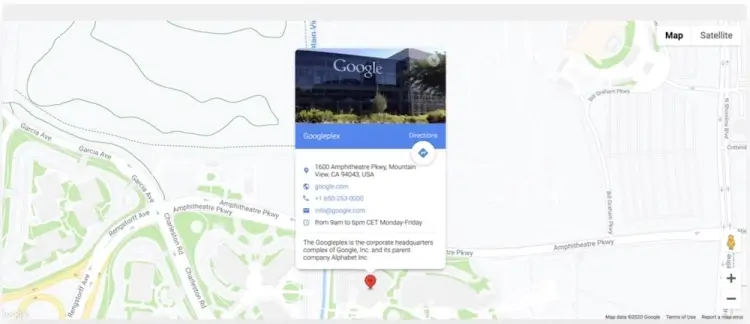
Google Maps by Elfsight offers a sleek and simple solution for adding map functionality to any WordPress site. With support for multiple location markers, route directions, and complete design customization, the plugin delivers a polished, user-friendly experience. Its compatibility with all WordPress themes ensures smooth integration without the need for developer intervention.
Elfsight has made ease of use a core focus, making this plugin particularly attractive for small business owners and bloggers who want functional, great-looking maps without diving into complex settings. A rating of 4.8/5 and over 2,100 sales speak to its consistent performance and user satisfaction.
At just $29, Google Maps is a cost-effective option for anyone needing to visually highlight a location. Whether you’re guiding customers to a storefront or showcasing branch offices, this plugin removes all technical friction, streamlining the process of building customer trust and improving navigation.
Google Maps features:
- Multiple location markers with route directions
- Full design customization for seamless visual integration
- Compatibility with all WordPress themes
- Easy to use with no coding required
- Responsive and mobile-optimized maps
3. Image Map Pro

Image Map Pro goes far beyond standard Google Maps integrations by offering polygon-based shape creation, advanced animations, and multi-layer support. It’s perfect for sites that need more than just pins on a map—think floor plans, interactive tours, or product maps. With full Gutenberg support and extensive styling tools, it’s built for creativity and precision.
Boasting 18,600+ sales and a 4.4/5 rating, this plugin is especially popular among designers and developers who want complete control over visuals. It’s not just for geographic mapping—it’s a powerful tool for any type of image-based interaction that requires customized regions, labels, or transitions.
Priced at $39, Image Map Pro delivers a unique blend of power and flexibility. It’s ideal for architectural firms, museums, event organizers, or any website that benefits from interactive visual storytelling. If you’re aiming to turn static images into dynamic experiences, this plugin delivers in spades.
Image Map Pro features:
- Polygon-based shape creation for custom map regions
- Advanced animations and multi-layer support
- Full Gutenberg editor compatibility
- Extensive styling and label customization tools
- Ideal for interactive floor plans and image-based maps
4. Progress Map
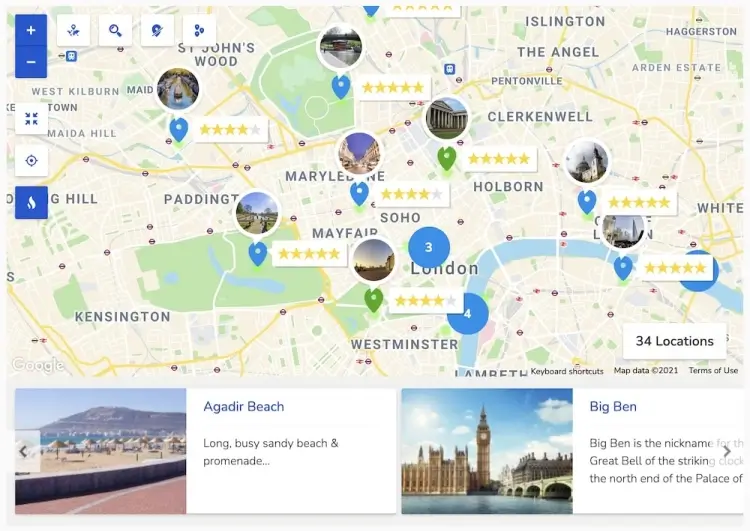
Progress Map is purpose-built for sites that feature multiple business listings or real estate properties. It allows unlimited location entries and uses an intuitive carousel or marker-based display to guide users through listings. Its interface is clean and easy to navigate, making it ideal for high-volume sites where clarity and efficiency are key.
With more than 6,100 sales and a 4.4/5 rating, this plugin has proven itself as a reliable solution for directories, booking platforms, and marketplaces. Its speedy coordinate input system and responsive design ensure it works well across devices and content types.
At $59, Progress Map offers an excellent return on investment for websites that require detailed, interactive listings. It enhances user experience by helping visitors visualize options quickly and efficiently—especially valuable in competitive industries like travel, real estate, or local services.
Progress Map features:
- Unlimited location entries with carousel or marker display
- Clean, easy-to-navigate interface optimized for listings
- Fast coordinate input system
- Responsive design for all devices
- Suited for directories, real estate, and booking platforms
5. MapSVG
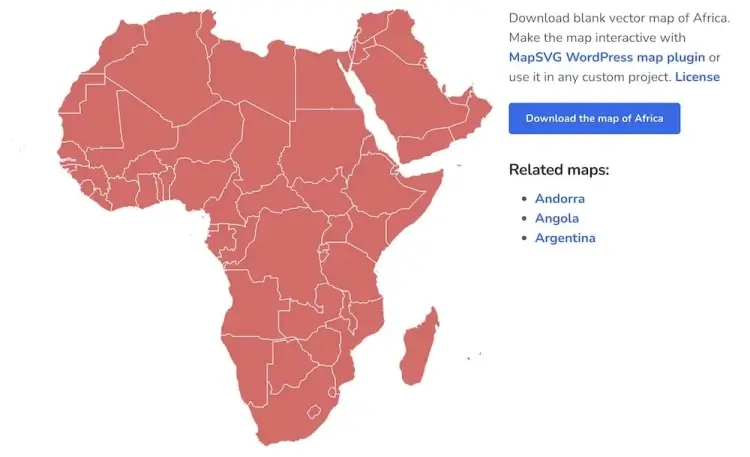
MapSVG gives developers and advanced users a powerful toolkit for building custom vector, Google, or image maps with full interactivity. It supports dynamic filters, search fields, and even the ability to embed shortcodes from other plugins—opening the door to endless customization possibilities. Whether you’re crafting data-driven dashboards or country-specific maps, MapSVG has the tools to execute your vision.
This plugin shines in its ability to blend design with data, which explains its 11,400+ sales and solid 4.5/5 rating. It’s ideal for creating infographics, election maps, or location-based service hubs where user interaction is key. With extensive documentation and developer-friendly features, it’s built for high-performance applications.
Priced at $49, MapSVG caters to users who want precision, not presets. If you’re working on a complex website with custom data overlays, filtering needs, or a focus on visual analytics, this plugin is among the most capable on the market.
MapSVG features:
- Supports vector, Google, and image maps with full interactivity
- Dynamic filters, search fields, and shortcode embedding
- Advanced customization for data-driven and infographic maps
- Developer-friendly with extensive documentation
- Ideal for visual analytics and custom data overlays
6. Mapplic
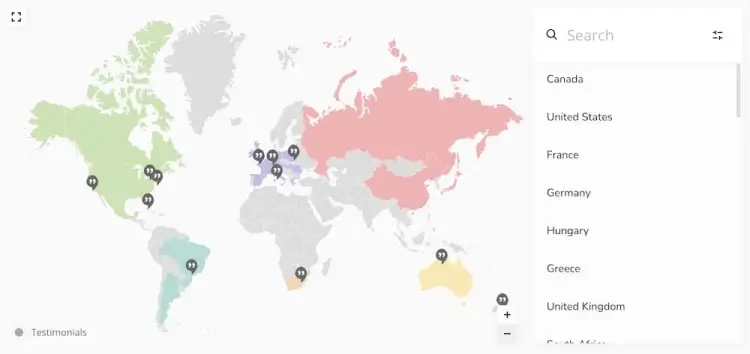
Mapplic brings your static images to life by transforming them into interactive, zoomable, and clickable maps. Designed with responsiveness in mind, it works on all screen sizes and devices. It’s not just for geographic maps—it can be used for anything from building floor plans to festival layouts or theme parks.
With 12,400+ sales and a strong 4.6/5 rating, Mapplic is a favorite among businesses with unique mapping needs. It supports tooltips, layers, and multiple interaction points, making it ideal for immersive web experiences across industries.
At a price point of $46, Mapplic provides rich visual storytelling at a reasonable cost. Whether you’re showcasing an exhibition floor or guiding users through a campus, this plugin adds a level of interactivity that static maps simply can’t match.
Mapplic features:
- Turns static images into interactive, zoomable maps
- Supports tooltips, multiple layers, and interaction points
- Responsive and mobile-ready
- Suitable for floor plans, event layouts, and non-geographic maps
- Enhances user engagement with rich visual storytelling
7. Hero Maps
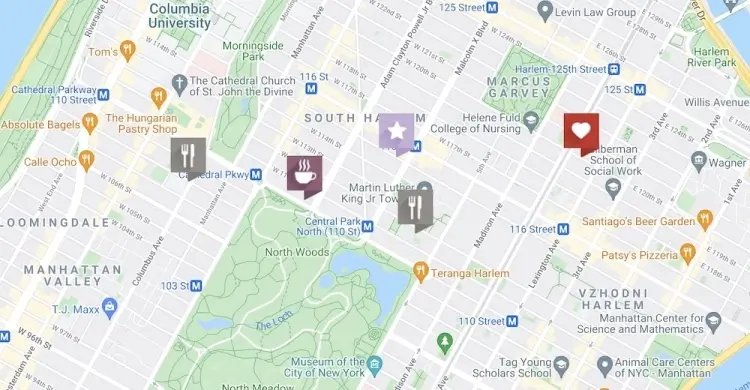
Hero Maps offers a smooth drag-and-drop experience, allowing users to build and manage custom maps without needing code. It supports marker categories, animations, and multiple maps on different pages—all customizable with a wide variety of skins and design options.
This plugin is best suited for site owners who want both ease of use and flexibility. Its 3,100+ sales and 4.3/5 rating underline its popularity among beginners and intermediates alike. The interface is intuitive, and you can get up and running quickly without a steep learning curve.
At just $25, Hero Maps represents great value for anyone who wants attractive, functional maps without complexity. It’s a smart pick for bloggers, local service providers, and small businesses who want to showcase location data clearly and engagingly.
Hero Maps features:
- Drag-and-drop map builder requiring no coding
- Supports marker categories, animations, and multiple maps
- Wide variety of skins and design options
- Intuitive interface suitable for beginners and intermediates
- Quick setup for attractive and functional maps
8. Interactive World Maps

Interactive World Maps lets you display continent, country, or regional maps with clickable markers, hover effects, and customizable tooltips. It’s a top choice for global businesses or travel bloggers who need to represent locations across large geographic areas in a clean, professional manner.
With over 15,400 sales and a 4.6/5 rating, the plugin offers visual clarity and a high degree of customization. It supports various color schemes, background editing, and dynamic interactivity, making it perfect for multilingual or multi-regional websites.
At a modest $29, this plugin combines affordability with powerful functionality. Whether you’re visualizing global clients, showcasing tour packages, or breaking down business regions, Interactive World Maps provides a straightforward yet compelling solution.
Interactive World Maps features:
- Displays continent, country, and regional maps with clickable markers
- Customizable tooltips and hover effects
- Various color schemes and background editing
- High interactivity for multi-regional and multilingual sites
- Ideal for global business and travel-related map visualizations
FAQ
1. Do I need a Google Maps API key to use these plugins?
Most premium Google Maps-based plugins require an API key for full functionality and to avoid usage limits. Always check the plugin documentation for setup instructions.
2. Can I add multiple maps on one site or page?
Yes, many plugins support multiple maps, allowing you to display different locations or map types across your site or even on the same page.
3. Are these plugins compatible with page builders like Elementor or Gutenberg?
Most modern plugins offer integration with popular page builders, either via widgets, shortcodes, or blocks, for easy embedding and customization.
4. How can I improve the loading speed of maps on my site?
Look for plugins that use optimized queries, lazy loading, or offer caching options. Minimizing the number of markers and layers also helps improve performance.
5. Can I create interactive maps that are not geographically based?
Yes, plugins like Image Map Pro and Mapplic allow you to build interactive maps from any image, such as floor plans, event layouts, or product diagrams.
Conclusion
Selecting the right WordPress map plugin can transform your website by adding a layer of interactive engagement that helps visitors find locations, explore data, or experience your content visually. Whether you prioritize ease of use, visual creativity, or data-driven features, the options reviewed provide a solid foundation for a wide variety of projects and industries.
Investing in a map plugin that fits your specific needs will streamline your site management while offering your users a seamless, engaging experience. With the right tool, you can turn simple maps into powerful assets that guide visitors, tell stories, and support your business goals effectively.