Pricing tables are a critical component of any website that sells products or services. They provide clear, visually appealing comparisons that help visitors understand options, features, and value propositions quickly. Choosing the right pricing table plugin can dramatically improve your site’s conversion rates by presenting your offers in an engaging and professional manner.
With the wide variety of WordPress pricing table plugins available, from simple free tools to feature-rich premium options, it’s important to identify one that aligns with your design preferences, functionality needs, and technical comfort level. This guide highlights the best plugins to help you build effective pricing tables that boost customer trust and sales.
What to Look for in a Pricing Table WordPress Plugin
When selecting a pricing table plugin, focus on key factors that ensure your tables are both functional and user-friendly.
- Customization Flexibility: Ability to modify colors, fonts, animations, and layout to match your branding.
- Responsiveness: Tables should look great and be usable across all devices—desktop, tablet, and mobile.
- Ease of Use: Intuitive interfaces and drag-and-drop builders allow quick creation without coding.
- Integration: Compatibility with your WordPress theme, page builders, and ecommerce plugins like WooCommerce.
- Performance: Lightweight code to avoid slowing down your website and maintain a smooth user experience.
A well-chosen pricing table plugin balances these elements to maximize clarity and conversions.
11 Best Pricing Table WordPress Plugins
1. Go Pricing

Go Pricing is one of the most well-established pricing table plugins on the market, boasting over 14,200 sales and a solid 4.4/5 star rating. It supports a wide variety of media types—such as images, audio, and video—giving you the flexibility to create interactive, content-rich pricing tables. Its library of 39 column animations provides a dynamic edge that sets your tables apart visually.
This plugin shines when it comes to customization. From icons and font styles to table dimensions and colors, nearly every element can be tailored to match your site’s branding. Its intuitive user interface means you can build complex layouts without a steep learning curve, making it a favorite among agencies and developers alike.
For around $27, Go Pricing offers an engaging, professional solution that helps convert visitors into customers. The interactive elements and media support help maintain user attention, leading to better engagement and more informed purchasing decisions.
Go Pricing features:
- Supports multiple media types including images, audio, and video
- Offers 39 different column animations for dynamic tables
- Highly customizable: icons, fonts, colors, and table dimensions
- Intuitive interface for building complex pricing tables without coding
- Suitable for creating interactive, content-rich pricing presentations
2. ARPrice

ARPrice brings unmatched flexibility to the table with over 300 pre-made templates and a user-friendly drag-and-drop builder. With more than 7,200 sales and an excellent 4.5/5 star rating, it offers a streamlined way to build sleek and functional pricing displays. Its support for RTL (Right-to-Left) languages also makes it accessible for a global audience.
The sheer volume of templates means you’re rarely starting from scratch, which is especially useful for beginners. Plus, its layout system makes switching between designs and testing pricing strategies easy. You can add animations, adjust responsive breakpoints, and even test different design configurations in real time.
ARPrice is ideal for businesses that want a fast, reliable, and multilingual-friendly solution. It saves time, delivers quality, and broadens your reach—all of which translate into higher engagement and stronger conversion performance.
ARPrice features:
- 300+ pre-made templates for quick table setup
- User-friendly drag-and-drop builder interface
- Supports RTL (Right-to-Left) languages for global use
- Easy switching and testing of different pricing layouts
- Customizable animations and responsive breakpoints
3. CSS3 Pricing Tables
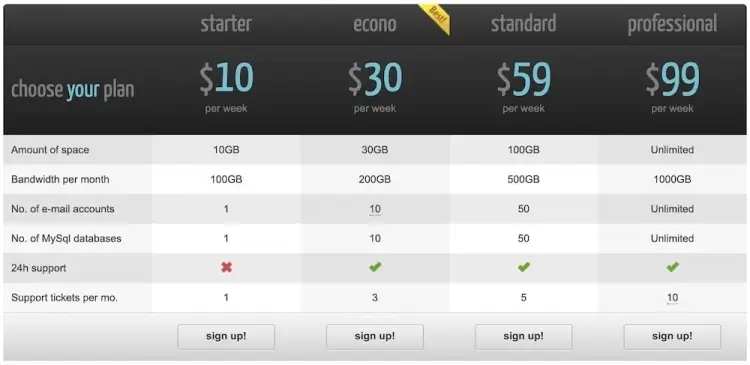
With over 11,100 sales and a consistent 4.5/5 rating, CSS3 Pricing Tables by QuanticaLabs offers a solid balance between simplicity and functionality. It features two distinct table styles—light and dark—each with multiple configuration options for borders, highlights, tooltips, and more. Its fully responsive layout ensures great usability on all screen sizes.
The plugin’s real strength lies in its no-fuss admin panel, which provides a clean interface for building tables quickly. You can easily modify columns, rows, and animations without touching code, making it a favorite among small business owners and solo creators.
CSS3 Pricing Tables help elevate your site’s visual professionalism while remaining lightweight and fast. If you’re looking for a polished, easy-to-maintain pricing solution, this plugin is an excellent fit.
CSS3 Pricing Tables features:
- Two main styles: light and dark with multiple customization options
- Fully responsive tables that adapt to all screen sizes
- Clean, no-code admin panel for quick table creation
- Customizable borders, highlights, and tooltips
- Lightweight plugin focused on simplicity and speed
4. Pricing Table by Elfsight
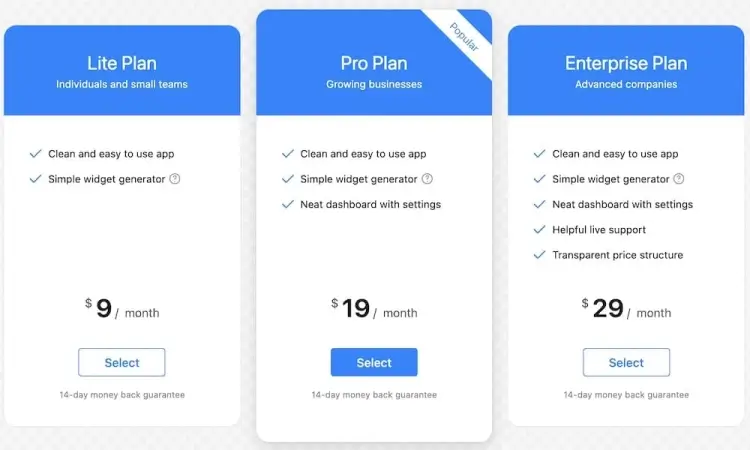
Elfsight’s Pricing Table plugin is crafted with a modern, mobile-first approach. It boasts a 4.6/5 rating and has earned the trust of over 1,500 customers. Its interface is highly customizable, responsive, and designed to perform well across devices—critical for businesses catering to mobile-heavy audiences.
Elfsight gives users full control over fonts, colors, column layout, and feature highlights. The drag-and-drop builder enables quick iteration, and you can preview your changes live before publishing. This visual-first approach is particularly beneficial for designers and marketers.
Businesses focused on optimizing mobile user experience will find Elfsight’s solution ideal. With professional-grade responsiveness and design polish, it empowers you to present compelling, conversion-ready pricing offers to mobile and desktop users alike.
Pricing Table by Elfsight features:
- Modern, mobile-first design optimized for all devices
- Fully customizable fonts, colors, and column layouts
- Drag-and-drop builder with live preview capability
- Designed for quick iterations and easy editing
- Professional look with strong mobile responsiveness
5. Pricing Table by Supsystic
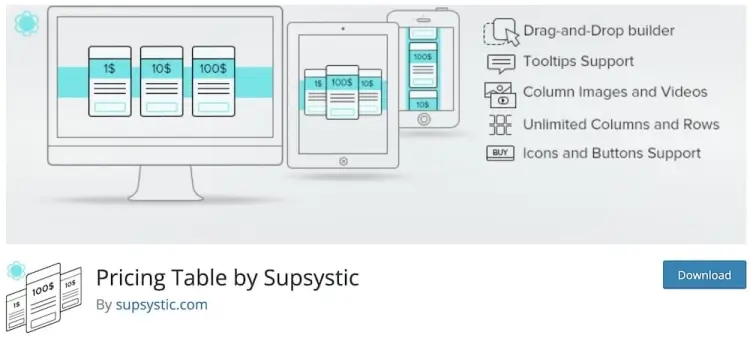
The Supsystic Pricing Table plugin impresses with 20,000+ active installations and a respectable 4.2/5 star rating, all while offering an extensive feature set at no cost. The standout features include unlimited rows and columns, drag-and-drop editing, and support for images and video content.
For those who want flexibility without complexity, this plugin is a smart choice. Even beginners can build rich, interactive pricing tables in minutes. You can integrate video demos, highlight popular plans, and easily rearrange layouts—all from a clean interface.
As a free plugin with premium-level features, Supsystic makes advanced pricing table design accessible to all. It’s particularly well-suited for startups and bloggers looking for professional visuals without the upfront investment.
Pricing Table by Supsystic features:
- Unlimited rows and columns for flexible pricing tables
- Drag-and-drop editing with support for images and videos
- Easy to use, suitable for beginners
- Allows highlighting popular plans and rearranging layouts
- Free plugin offering premium-level functionality
6. WP Table Builder
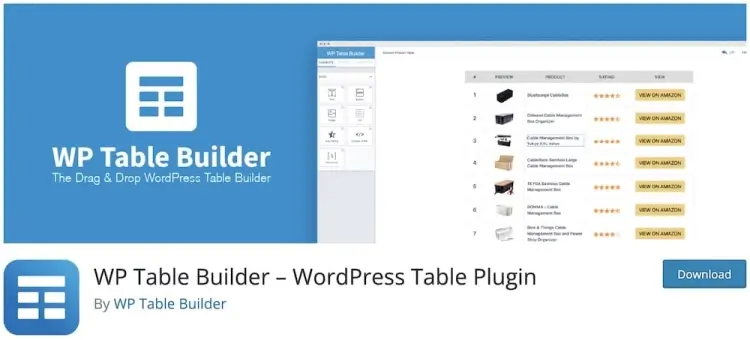
WP Table Builder stands out with 60,000+ active installations and a stellar 4.9/5 star rating. It offers a variety of table elements like star ratings, buttons, images, and lists—perfect for creating robust comparison tables as well as pricing structures.
Its drag-and-drop interface is built for usability, allowing users to structure highly detailed tables without writing a single line of code. Whether you’re comparing subscription tiers, service packages, or product features, the plugin adapts beautifully to any scenario.
WP Table Builder is ideal for affiliate marketers, review bloggers, and SaaS companies. By enabling comprehensive, side-by-side comparisons, it supports informed decisions and increases user trust—leading to higher conversion rates.
WP Table Builder features:
- Drag-and-drop interface with multiple table elements (stars, buttons, images, lists)
- Ideal for creating detailed comparison and pricing tables
- No coding required for building complex tables
- Suitable for affiliate marketers, bloggers, and SaaS companies
- Supports side-by-side feature comparison to aid user decisions
7. Easy Pricing Tables
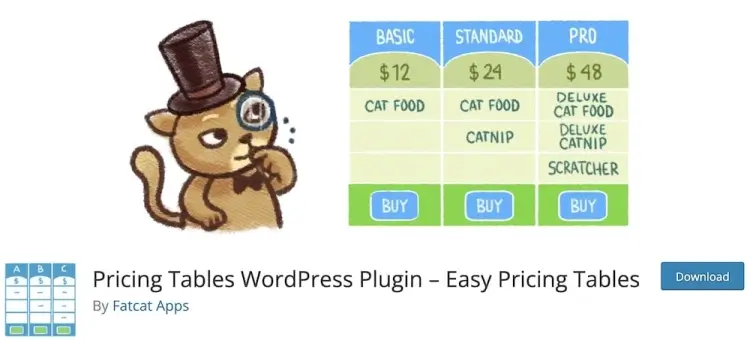
Easy Pricing Tables makes setup a breeze with 10,000+ active installations and a solid 4.2/5 rating. Its full compatibility with the Gutenberg block editor means you can create and publish responsive pricing tables directly from the WordPress interface—no extra tools required.
Designed for non-technical users, this plugin offers a clean UI and essential features without overwhelming options. You can quickly adjust columns, colors, and call-to-action buttons to match your site’s style and brand identity.
If you want to get a polished pricing table live with minimal effort, Easy Pricing Tables is a great pick. It’s ideal for solopreneurs, coaches, or small businesses that need efficient, good-looking tables built into the WordPress workflow.
Easy Pricing Tables features:
- Full Gutenberg block editor compatibility for native WordPress use
- Simple, clean user interface tailored for non-technical users
- Customizable columns, colors, and call-to-action buttons
- Quick setup for responsive pricing tables
- Designed for solopreneurs and small businesses needing simplicity
8. Responsive Pricing Table

Responsive Pricing Table combines simplicity and flexibility, earning it 20,000+ active installations and a strong 4.7/5 rating. Its biggest asset is the use of shortcodes for easy placement, meaning you can add tables anywhere on your site—including sidebars, pop-ups, or landing pages.
The plugin’s customization panel allows you to adjust all core components, from button text to column emphasis. It’s especially effective for service providers or digital product sellers who want multiple pricing tiers presented clearly and responsively.
Its ease of use and sharp design make Responsive Pricing Table a favorite among agencies and freelancers who need fast deployment and high visual impact. It’s a great blend of power and simplicity.
Responsive Pricing Table features:
- Uses shortcodes for flexible placement anywhere on the site
- Customizable button text, column emphasis, and core table components
- Fully responsive and visually sharp across devices
- Easy to use for agencies and freelancers
- Good balance of power and simplicity for fast deployment
9. Free Pricing Table
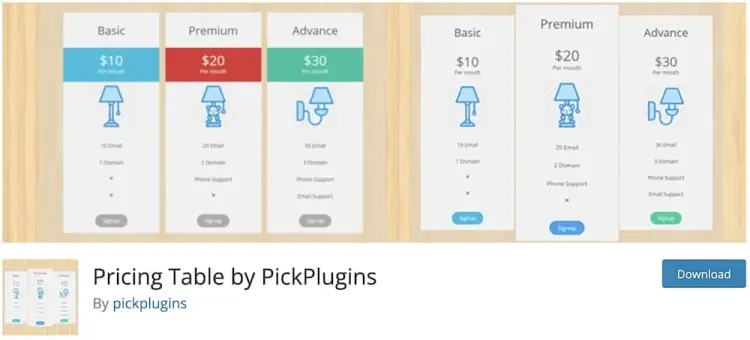
Free Pricing Table lives up to its name by offering a complete pricing table solution with no cost and a perfect 5/5 star rating. While it only has 1,000+ active installs, it includes standout features like video embeds from YouTube and Vimeo, customizable color schemes, and responsive layout options.
Despite being free, it doesn’t cut corners. You can create multiple pricing tiers, add compelling visuals, and customize content without digging into code. It’s ideal for beginners or small businesses operating with limited budgets.
This plugin ensures users on tight budgets can still deliver beautiful, functional pricing tables that don’t compromise on clarity or performance. It’s a hidden gem for new site owners or low-cost campaigns.
Free Pricing Table features:
- Completely free plugin with responsive layout options
- Supports video embedding from YouTube and Vimeo
- Multiple pricing tiers with customizable colors and content
- Suitable for beginners and small businesses on tight budgets
- Delivers clear, attractive pricing tables without coding
10. WooCommerce Pricing
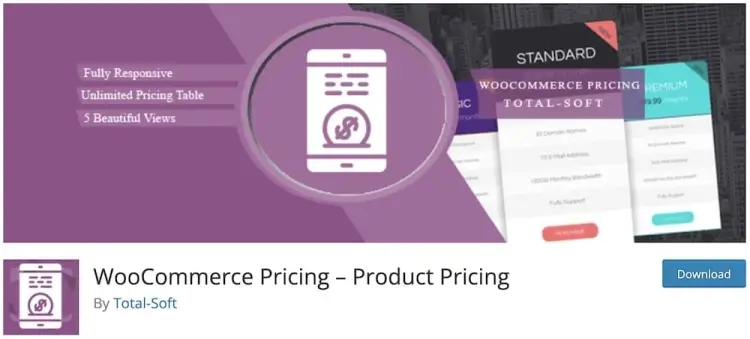
WooCommerce Pricing is a niche solution designed specifically for WooCommerce-powered stores. While it currently has a smaller user base (400+ active installations), it enjoys a perfect 5/5 star rating and offers round-the-clock 24/7 technical support.
Its setup is streamlined for store owners—add pricing tables to product pages, bundle deals, or service tiers with minimal hassle. The intuitive interface ensures you can design pricing options that convert, even if you’re new to WordPress.
For online store owners, WooCommerce Pricing is an efficient way to visually showcase deals and pricing structures. Its niche focus and hands-on support make it especially useful for eCommerce businesses that want clarity and conversion in their product presentation.
WooCommerce Pricing features:
- Designed specifically for WooCommerce stores
- Allows adding pricing tables to product pages and bundles
- Intuitive setup ideal for store owners new to WordPress
- Includes 24/7 technical support
- Focuses on improving product pricing clarity and conversions
11. WRC Pricing Tables
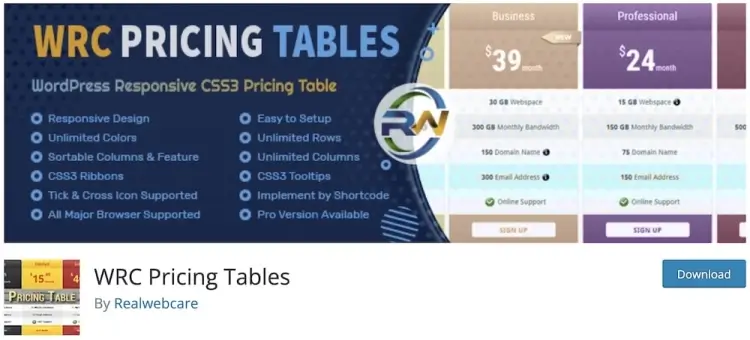
WRC Pricing Tables, with 2,000+ active installations and an average 4.4/5 rating, offers solid flexibility for WordPress users. Developed by Realwebcare, it enables the creation of unlimited rows and columns, along with cross-browser compatibility to ensure consistency across all user devices.
This plugin doesn’t require technical know-how—its intuitive interface guides users through setup, while still allowing detailed customization for font styles, colors, and highlights. The responsive design ensures that your tables look sharp across phones, tablets, and desktops.
WRC is a great option for users who want extensive layout flexibility without complexity. Its well-rounded feature set supports clear, customer-friendly pricing displays that align with your branding and business goals.
WRC Pricing Tables features:
- Unlimited rows and columns for flexible layouts
- Cross-browser compatibility for consistent display
- Intuitive interface requiring no technical skills
- Customizable fonts, colors, and highlights
- Responsive design for phones, tablets, and desktops
FAQ
1. Can I use pricing table plugins with WooCommerce?
Yes, many pricing table plugins integrate seamlessly with WooCommerce to display product or subscription pricing attractively.
2. Are free pricing table plugins reliable for professional websites?
Many free plugins offer robust features suitable for small businesses and startups. However, premium plugins provide more customization and support, which can be vital for larger or more complex sites.
3. How important is mobile responsiveness for pricing tables?
Extremely important. A significant portion of traffic comes from mobile devices, so your pricing tables must display correctly and be easy to interact with on all screen sizes.
4. Can I add multimedia like videos or images to pricing tables?
Some advanced plugins like Go Pricing and Supsystic support embedding images, videos, and even audio to create more engaging pricing presentations.
5. Do these plugins support multiple pricing tiers and comparison layouts?
Yes. Most of the plugins reviewed allow unlimited rows and columns to create detailed tiered pricing or comparison tables tailored to your offerings.
Conclusion
An effective pricing table is a powerful tool to simplify decision-making for your customers and highlight your best offers. Whether you need a quick, easy solution or a highly customizable, media-rich presentation, there’s a WordPress plugin that fits your needs and budget. Investing in the right plugin can improve site aesthetics, user engagement, and ultimately drive more conversions.
By focusing on plugins that balance ease of use, design flexibility, and mobile responsiveness, you ensure your pricing information is clear and compelling. Use this guide to pick a solution that not only looks great but also supports your business goals and grows with your site.