
Building an interactive Q&A section on your WordPress site can transform visitor engagement and create a vibrant, user-driven community. Whether you’re aiming to provide customer support, foster peer-to-peer discussions, or simply encourage knowledge sharing, choosing the right Q&A plugin is essential. This guide reviews the top plugins available, highlighting their features, ease of use, and suitability for different types of websites.
From premium solutions with gamification and monetization options to flexible free plugins perfect for developers and educators, these tools offer a range of capabilities to help you launch and maintain a dynamic Q&A platform. Understanding their strengths will help you pick the best fit to foster meaningful interaction on your site.
What to Look for in a Q&A WordPress Plugin
A successful Q&A plugin should do more than just display questions and answers—it should facilitate smooth interaction and community growth.
- User Engagement Features: Voting systems, best answer selection, and gamification keep users motivated to participate.
- Customization and Integration: Look for plugins with flexible layouts, shortcode support, and compatibility with your theme and page builders.
- Moderation and Security: Tools for managing spam, user roles, and permissions are critical for maintaining quality content.
- Mobile Responsiveness: A seamless experience across devices is essential as users access your site on various platforms.
- Monetization Options: Some plugins offer paid memberships or rewards systems if you want to build a premium community.
Choosing a plugin with these features will empower your site to foster a thriving Q&A community tailored to your specific goals.
6 Best Q&A WordPress Plugins
1. Sabai Discuss
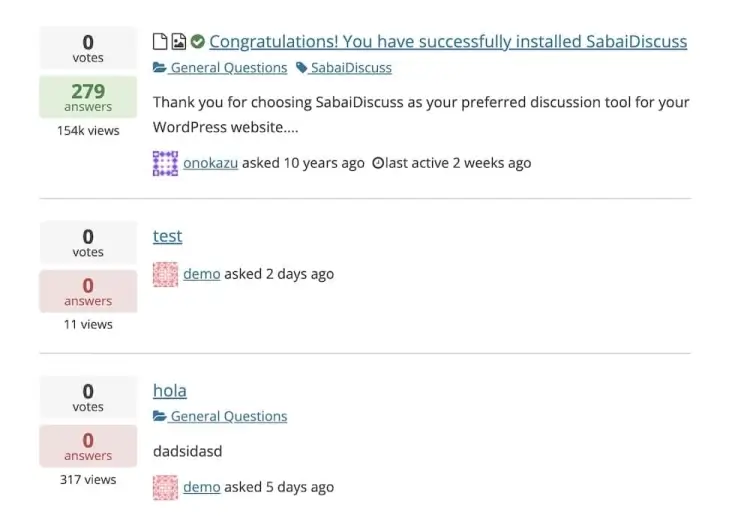
Sabai Discuss is a multifaceted WordPress plugin that blends Q&A functionality with the structure of a community forum and the utility of a knowledge base. Featuring five WordPress shortcodes and nine widgets, it’s built for seamless integration and high customization. Its intuitive, user-friendly interface mimics the interactive style of platforms like Yahoo! Answers, complete with automatic voting to streamline user feedback.
Where Sabai Discuss truly excels is in creating interactive environments for users. Whether you’re building a tech support hub, a niche forum, or a product help center, this plugin offers flexible configuration and a clean, modern layout. Non-technical users will appreciate how easy it is to manage, while developers can take advantage of its extensibility.
With 3,300+ sales and a 4.4/5 rating, Sabai Discuss has earned a solid reputation. At just $24, it provides exceptional value for bloggers, business owners, or educators who want to boost user engagement through discussions and user-generated content. If community-driven interaction is central to your site strategy, this plugin is well worth considering.
Sabai Discuss features:
- Multiple shortcodes and widgets for flexible integration
- Voting system and best answer selection to boost engagement
- Ajax-powered dynamic content loading for smooth interactions
- Highly customizable layouts with developer-friendly options
- Supports user roles and permissions for effective moderation
2. DW Question and Answer PRO
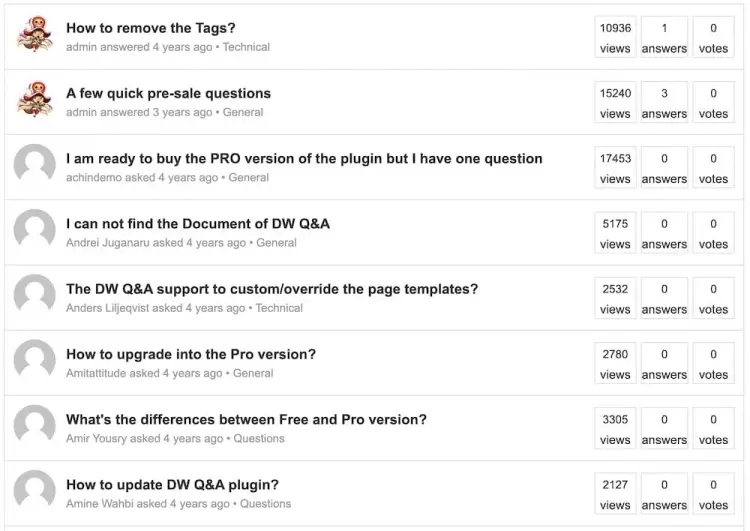
DW Question and Answer PRO focuses on delivering a streamlined, easy-to-use interface that supports a professional, community-powered Q&A section. Key features include voting systems, the ability to select a “best answer,” and fast, Ajax-powered search functionality. The plugin is also fully responsive, ensuring a smooth experience across all device types.
The plugin’s core strength lies in its simplicity and efficiency. Built for administrators and users alike, it facilitates productive conversations while offering full control through custom permissions and security settings. From casual Q&A blogs to technical support forums, DW Q&A Pro adapts to your community’s needs without requiring a steep learning curve.
Priced at $39, it is a premium solution with a focus on functionality and ease of use. For website owners looking to create a high-quality, self-sustaining knowledge-sharing community, DW Question and Answer PRO provides the tools to do so in a polished, mobile-friendly format.
DW Question and Answer PRO features:
- User-friendly interface with voting and best answer capabilities
- Ajax-powered fast search and content loading
- Fully responsive design for seamless mobile experience
- Customizable user permissions and security controls
- Compatible with various themes and page builders
3. WP-Answers
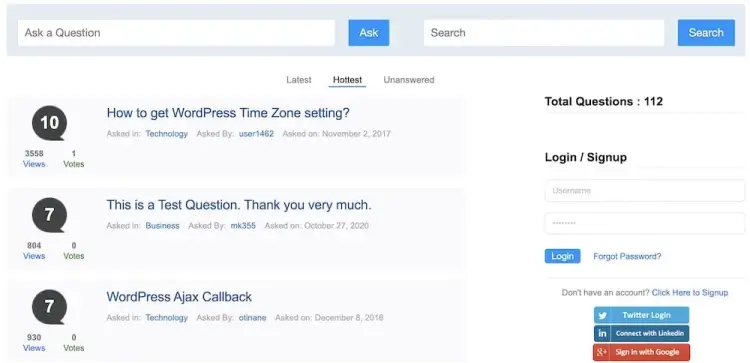
WP-Answers is designed to turn any WordPress site into a full-featured Q&A portal. Its responsive layout ensures usability across all devices, while built-in social media login options remove the friction often found in sign-up processes. Users can register with Facebook or Twitter, making community engagement faster and more natural.
A standout feature is its rewards system, which encourages participation by granting points or privileges for answering questions. This gamification model helps foster a more engaged and active user base. For site owners looking to monetize, WP-Answers also supports paid membership tiers via PayPal, giving you the flexibility to build a premium knowledge-sharing platform.
With a competitive price point of $34, WP-Answers is particularly appealing to startups, small communities, and niche forums. Its mix of ease-of-use, engagement incentives, and monetization tools makes it a solid pick for anyone looking to launch a Q&A site quickly and effectively.
WP-Answers features:
- Social media login integration for easy user registration
- Gamification through points and rewards to increase participation
- Supports paid memberships and monetization via PayPal
- Responsive layout optimized for all device types
- Comprehensive Q&A management tools with intuitive interface
4. AnsPress
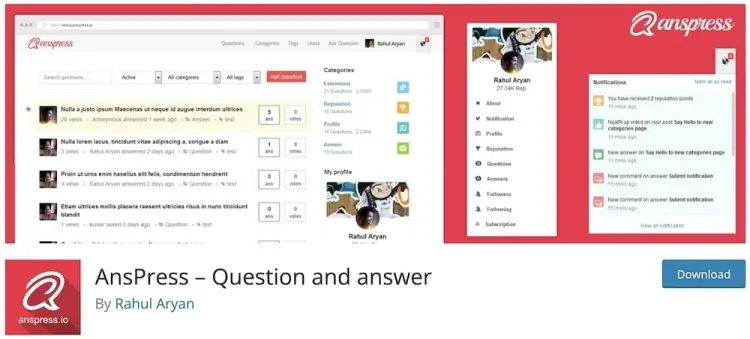
AnsPress is a free Q&A plugin that punches well above its weight in terms of functionality. It offers a powerful admin interface, seamless multilingual support, and compatibility with shortcodes and various add-ons. You can extend its functionality to fit your specific needs without spending a dime.
Despite being free, AnsPress includes features typically reserved for premium tools, such as role-based access, reputation management, and question sorting options. It’s an ideal solution for developers, educators, or business owners who want full control over their Q&A setup without the associated costs.
Whether you’re launching a support community or a niche FAQ forum, AnsPress offers a reliable, budget-friendly path forward. Its popularity among WordPress users is a testament to its performance and flexibility, making it an excellent entry point into the world of interactive content.
AnsPress features:
- Free plugin with robust Q&A features and role-based access
- Multilingual support and shortcode compatibility
- Reputation system and question sorting options
- Extendable with add-ons for customized functionality
- Powerful admin tools for moderation and content control
5. CM Answers
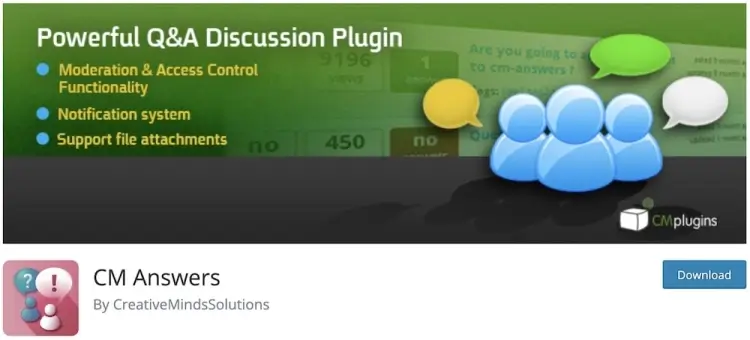
CM Answers delivers a focused and streamlined Q&A experience through its lightweight design and user-friendly interface. It’s packed with essential features like user notifications, hierarchical categories, polls, and support for membership plans—all while keeping performance fast and smooth.
What makes CM Answers special is its balance of functionality and simplicity. No coding skills are required, which means anyone can deploy a community-driven Q&A board in minutes. Regular updates also ensure that the plugin remains secure and compatible with the latest versions of WordPress.
Best of all, CM Answers offers a free version that covers the basics very well, with premium options available for more advanced needs. For users who want to maintain an organized, intuitive Q&A section without overcomplicating things, this plugin stands out as a practical and effective choice.
CM Answers features:
- Lightweight, fast, and easy to set up with no coding needed
- User notifications and hierarchical category support
- Polls and membership plan integration for community building
- Regular updates ensuring security and WordPress compatibility
- Free core version with premium extensions available
6. Quiz Maker (Bonus)
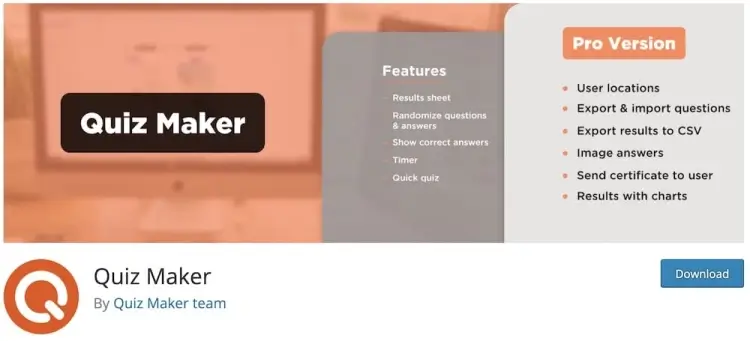
While not a traditional Q&A plugin, Quiz Maker earns its place on this list for sites looking to engage users through interactive quizzes. It supports multiple formats—text, audio, video, multiple-choice—and offers responsive design for mobile and desktop users alike. With over 20,000 active installations and an impressive 4.9/5 rating, it’s clearly a crowd favorite.
The plugin is particularly effective at increasing time on site and encouraging user interaction in a more casual or playful context. Whether you’re running a personality quiz, a trivia challenge, or an educational assessment, Quiz Maker makes it easy to create content that entertains and informs.
Ideal for educational sites, lifestyle blogs, and even eCommerce stores looking to spice up their content, Quiz Maker offers a unique approach to engagement. If your goal is to drive clicks and keep visitors entertained, this plugin can help turn passive readers into active participants.
Quiz Maker features:
- Supports multiple quiz formats: text, audio, video, and more
- Responsive design for mobile and desktop users
- Easy-to-use interface for creating interactive quizzes
- Increases user engagement and time spent on site
- Suitable for educational, lifestyle, and eCommerce websites
FAQ
1. Can I add a Q&A section without affecting my site’s speed?
Yes. Many plugins are optimized for performance, but always test on a staging site and choose lightweight plugins to minimize impact.
2. Are these plugins suitable for multilingual sites?
Some plugins, like AnsPress, offer multilingual support or work well with translation plugins, making them ideal for global audiences.
3. Can I customize the Q&A layout without coding?
Most premium and many free plugins provide customization options via settings, shortcodes, or Gutenberg blocks, allowing design tweaks without coding.
4. How do I handle spam and inappropriate content in Q&A forums?
Look for plugins with built-in moderation tools, user role management, and spam filters to keep your community safe and clean.
5. Is it possible to monetize a Q&A site using these plugins?
Yes. Plugins like WP-Answers include features for paid memberships and rewards systems, enabling you to generate revenue from your community.
Conclusion
Choosing the right Q&A plugin can significantly enhance your site’s interactivity and user retention, whether you’re building a support forum, community hub, or knowledge base. From feature-rich premium options to powerful free solutions, the plugins in this guide offer a diverse range of tools to fit your needs and budget.
By focusing on engagement features, ease of use, and scalability, you can create a vibrant platform that encourages participation and knowledge sharing. The right plugin will not only improve your site’s user experience but also foster a loyal, active community around your content.