
Tracking visitor activity on your WordPress site is essential for understanding audience behavior, measuring content performance, and making informed decisions to grow your online presence. Visitor counter plugins provide an easy way to display and analyze traffic metrics, whether you want simple public counters or detailed analytics dashboards. With the right plugin, you can boost transparency, build trust, and optimize engagement.
This guide reviews the best visitor counter plugins available for WordPress, highlighting options that cater to diverse needs—from lightweight, visually appealing counters to powerful analytics suites. Whether you want to showcase real-time visitors or gain in-depth insights behind the scenes, these tools help you capture the data that matters.
What to Look for in a Visitor Counter WordPress Plugin
Choosing the ideal visitor counter plugin depends on what you want to achieve and how it fits into your site’s ecosystem.
- Accuracy: The plugin should provide reliable counts, with features like bot filtering and IP exclusion to prevent inflated numbers.
- Display Options: Look for flexible ways to show counters—widgets, shortcodes, or blocks—so you can position them seamlessly.
- Performance: A lightweight plugin that doesn’t slow down your site is crucial, especially if you have high traffic.
- Privacy and Compliance: Consider plugins that respect user privacy and help with GDPR compliance by handling data locally or anonymizing users.
- Additional Analytics: If you want more than a counter, plugins offering detailed reports, visitor paths, and GeoIP data are valuable for deeper analysis.
Evaluating these factors ensures you select a plugin that not only fits your technical needs but also supports your long-term site strategy.
9 Best Visitor Counter WordPress Plugins
1. Post Views Filter & Counter
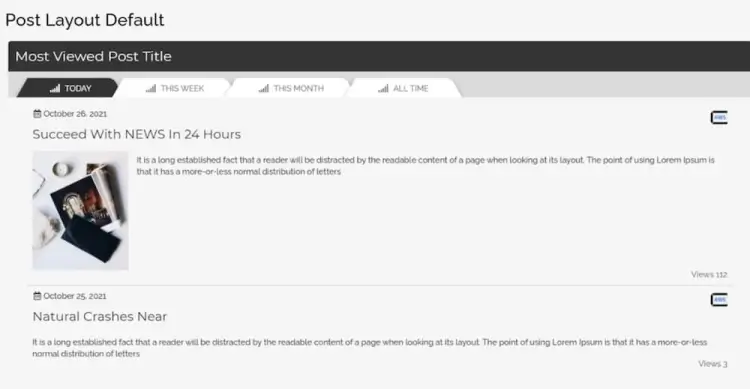
Post Views Filter & Counter is a robust solution for WordPress users seeking precise and customizable view tracking. It allows you to display daily, weekly, monthly, and total views using widgets, shortcodes, or Gutenberg blocks—ensuring seamless integration across any layout. With manual count editing and font customization features, it provides the versatility required by developers and content creators alike.
What makes this plugin stand out is its balance between ease of use and rich functionality. Whether you’re a beginner looking to add credibility to your blog or a developer creating a custom dashboard, the plugin’s modular design ensures it fits into your workflow with minimal hassle.
Rated 4.4/5, this plugin enhances not just analytics but also perceived popularity. By showcasing view counts visibly on content, it creates social proof that builds trust with readers—often leading to increased engagement, longer time on site, and more shares.
Post Views Filter & Counter features:
- Tracks daily, weekly, monthly, and total post views
- Multiple display options: widgets, shortcodes, Gutenberg blocks
- Manual editing of view counts for customization
- Font customization for visual consistency
- Modular design suited for both beginners and developers
2. Post View Counter
Post View Counter offers a practical way to monitor content popularity with accuracy and discretion. The plugin includes advanced features like bot exclusion and user-role-based visibility control, ensuring that your stats reflect real user behavior—not inflated numbers from bots or crawlers. It also includes shortcodes and templates for personalized display.
What’s particularly useful is the ability to restrict view count visibility to specific user roles—an ideal solution for teams that want to track engagement internally without displaying it publicly. This flexibility makes the plugin suitable for both internal analytics and public engagement metrics.
With over 5,000 sales and a 4.5/5 rating, Post View Counter strikes the perfect balance between reliability and customization. If you want your analytics to reflect authentic interactions, this plugin is an affordable and effective choice.
Post View Counter features:
- Accurate view counts with bot exclusion
- User-role-based control to restrict visibility
- Supports shortcodes and customizable templates
- Reflects real user behavior by filtering bots and crawlers
- Suitable for both internal and public analytics
3. Live Visitor Counter
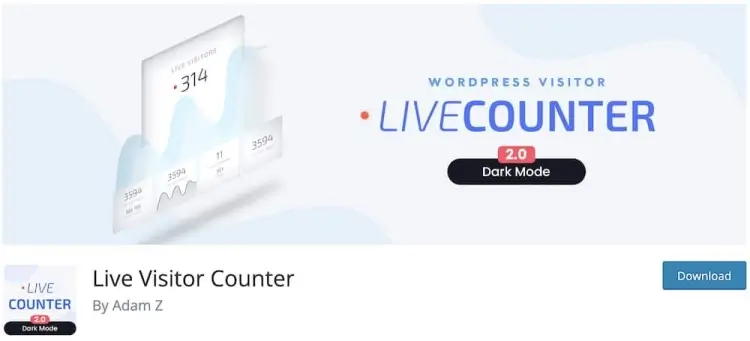
Live Visitor Counter is a stylish, beginner-friendly plugin designed to display real-time visitor numbers. It includes multiple counter styles, light/dark mode options, and a lightweight footprint that won’t slow down your site. Ideal for blogs or business sites, it helps build a sense of activity and credibility with minimal setup.
The plugin’s intuitive interface makes it perfect for users who want a plug-and-play counter. In just a few clicks, your visitors can see live site traffic—creating a perception of community and real-time activity that encourages further exploration.
Rated 4.0/5, this free plugin adds a touch of professionalism without complicating your site architecture. It’s especially useful for personal blogs, portfolio sites, or local business pages that want a simple way to display traffic and increase engagement.
Live Visitor Counter features:
- Displays real-time visitor counts with multiple styles
- Light/dark mode options for design flexibility
- Lightweight plugin with minimal impact on site speed
- Beginner-friendly setup with intuitive interface
- Enhances site credibility and community perception
4. StatCounter

StatCounter isn’t just a visitor counter—it’s a full-fledged analytics suite. It offers detailed traffic reports, visitor paths, keyword performance, and more. Unlike most plugins, it’s geared toward administrators who need actionable insights rather than just front-end metrics.
The plugin shines in its behind-the-scenes power. While it doesn’t focus on visual display for end-users, its robust tracking allows webmasters to uncover how visitors are navigating the site, where they’re coming from, and which pages lead to conversions.
With a 4.3/5 rating, StatCounter is a top pick for SEO professionals, marketing teams, and data-driven site owners. It empowers content strategy through precision analytics—perfect for anyone serious about growing and optimizing a WordPress website.
StatCounter features:
- Comprehensive analytics including visitor paths and keyword tracking
- Detailed traffic reports for in-depth insights
- Focused on backend data rather than front-end display
- Helps optimize content strategy and SEO efforts
- Ideal for data-driven site owners and marketing teams
5. WP Visitor Statistics
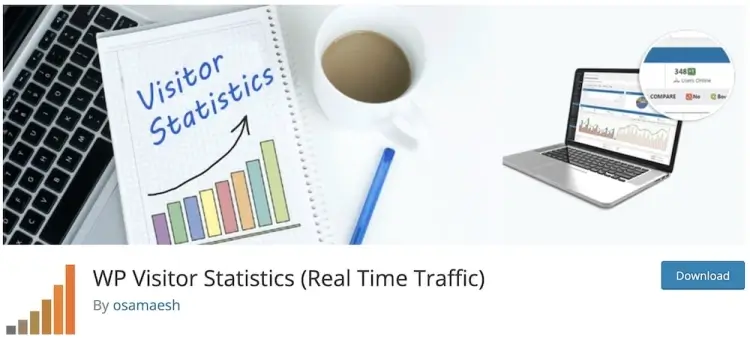
WP Visitor Statistics is designed to offer all the essential metrics you need—browser types, operating systems, and even GeoIP tracking—without relying on third-party analytics platforms. Its clean and user-friendly dashboard makes it easy for beginners to access useful data instantly.
The plugin automatically updates and provides detailed statistics right within your WordPress admin area. This localized functionality ensures data ownership and privacy, making it a great alternative to Google Analytics for users concerned with GDPR compliance.
Rated 4.5/5, WP Visitor Statistics is perfect for site owners who want both simplicity and depth. Whether you run a blog or a business website, this plugin gives you the insights to improve performance while keeping your workflow distraction-free.
WP Visitor Statistics features:
- Tracks browser types, OS, and GeoIP data locally
- User-friendly dashboard for quick data access
- Avoids third-party analytics, enhancing privacy and GDPR compliance
- Automatic updates with detailed WordPress admin stats
- Suitable for both beginners and advanced users
6. Page Visits Counter
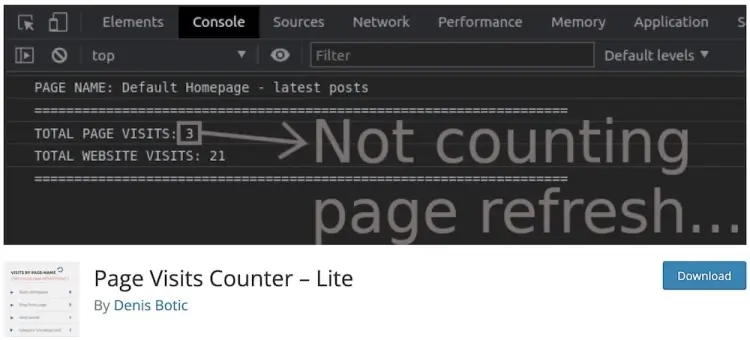
Page Visits Counter is a powerful yet lightweight visitor counter that supports both front-end and back-end visibility. It integrates effortlessly with the WordPress dashboard and also offers optional WooCommerce support for tracking product page visits—making it perfect for eCommerce store owners.
Its standout feature is the flexibility to hide or show visitor counts, depending on your preference. This means you can keep analytics for internal use or display them publicly to increase perceived popularity and trust.
With a flawless 5.0/5 rating, Page Visits Counter is an ideal option for those looking for seamless integration, excellent performance, and eCommerce readiness. It’s especially valuable for store owners or bloggers who need quick visitor insights without overcomplicating their site.
Page Visits Counter features:
- Front-end and back-end visitor count visibility
- WooCommerce integration to track product page visits
- Option to show or hide visitor counts publicly
- Lightweight and performance-optimized
- Seamless WordPress dashboard integration
7. Post Views Counter
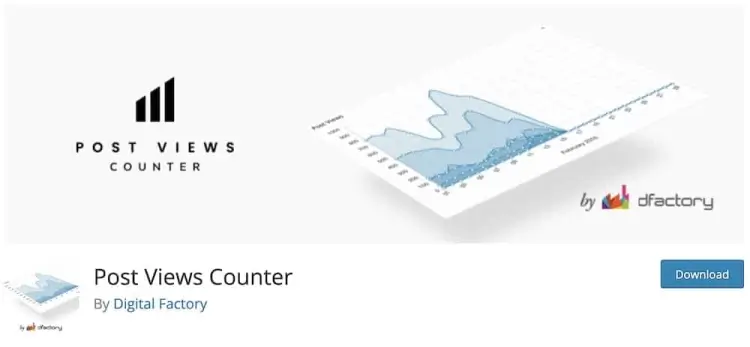
Post Views Counter is among the most popular visitor counter plugins on WordPress, with over 200,000 active installations. It’s known for its straightforward interface, non-intrusive setup, and customizable options like IP exclusions and selective post type tracking.
The beauty of this plugin lies in its scalability. Whether you’re running a personal blog or a large content hub, its minimalist design and wide compatibility make it suitable for all site sizes and purposes. Plus, it works out of the box—no technical skills required.
With a stellar 4.9/5 rating, Post Views Counter offers unparalleled value. It’s reliable, frequently updated, and proven by its massive user base. If you want a plugin you can set and forget while still gaining actionable insights, this is your go-to.
Post Views Counter features:
- Simple, non-intrusive setup with wide compatibility
- Supports IP exclusions and selective post type tracking
- Scalable for small blogs to large content hubs
- Minimal technical skills required for use
- Frequently updated and reliable for long-term use
8. WP Post Views

WP Post Views is a no-fuss plugin perfect for users who need a lightweight and efficient way to display post views. It uses shortcodes for easy insertion and includes IP tracking filters to avoid duplicate view inflation, giving you more accurate data.
Its simplicity is its strength. You can have it up and running in seconds, with minimal configuration required. The shortcode-based implementation makes it ideal for users who want more control over placement without diving into complex customization.
Scoring a perfect 5.0/5, WP Post Views is best for minimalist WordPress setups that prioritize performance and accuracy. If you’re looking for a clean, efficient counter to monitor visitor activity, this plugin delivers exactly what you need.
WP Post Views features:
- Lightweight and efficient visitor counter
- Uses shortcodes for easy placement
- IP filtering to avoid duplicate views
- Minimal configuration for fast setup
- Clean, performance-oriented design
9. Post View Count

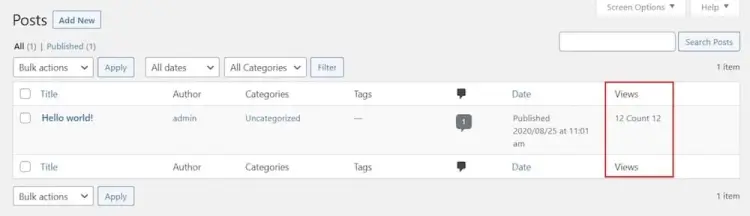
Post View Count is one of the easiest plugins to use in this category. It integrates directly into the post management screen, adding a new column that shows views per post without needing any configuration. Just install it, and it starts tracking instantly.
The plugin’s ultra-lightweight build ensures that it won’t affect page speed or load times. Despite its simplicity, it gives you immediate access to useful data that can inform which topics are resonating most with your audience.
With a top-tier 5.0/5 rating, Post View Count is perfect for bloggers, content strategists, or publishers who want to get insights without installing a complex analytics suite. It’s the epitome of “set it and forget it” functionality.
Post View Count features:
- Integrates directly into post management screen
- Adds a column displaying views per post instantly
- Ultra-lightweight, no impact on page speed
- No configuration needed—starts tracking immediately
- Ideal for bloggers and publishers seeking simple insights
FAQ
1. Will visitor counters slow down my WordPress site?
Most modern visitor counter plugins are optimized for performance and have a minimal footprint. However, plugins with extensive analytics might have a larger impact, so choose based on your speed priorities.
2. Can I exclude my own visits from the visitor count?
Yes, many plugins offer options to exclude certain IP addresses or logged-in user roles to prevent skewed data from internal traffic.
3. How do visitor counters help improve my site?
Displaying visitor counts can build social proof and credibility, encouraging users to stay longer. Analytics-focused plugins provide insights to optimize content and marketing strategies.
4. Are these plugins compatible with WooCommerce?
Some visitor counter plugins offer WooCommerce integration to track product page visits, helping store owners analyze customer behavior on their shops.
5. Do I need technical skills to install and use these plugins?
Most visitor counter plugins are designed for ease of use, with many requiring little to no configuration. Shortcodes and widgets simplify placement without coding knowledge.
Conclusion
Visitor counter plugins are a valuable addition to any WordPress site, providing both real-time visibility and actionable insights into user behavior. Whether your priority is showcasing live visitor numbers for social proof or accessing comprehensive traffic analytics, the plugins reviewed here cover all bases with flexibility and reliability.
By choosing a plugin that balances accuracy, performance, and usability, you empower yourself to better understand and engage your audience. Investing in the right visitor counter tool ultimately enhances your site’s credibility and supports data-driven growth strategies.