Integrating real-time weather information into your WordPress site can greatly enhance user engagement, especially for travel, event, or news websites where weather plays a critical role. With the wide range of weather plugins available, choosing one that balances design, accuracy, and ease of use is essential. This guide reviews the best WordPress weather plugins, highlighting their unique features to help you make the right choice for your needs.
Whether you want a simple, lightweight solution or a feature-rich plugin with detailed forecasts and customization options, this selection covers both premium and affordable choices. Each plugin has been evaluated for usability, responsiveness, and integration capabilities to ensure it works seamlessly on modern WordPress sites.
What to Look for in a Weather WordPress Plugin
Choosing the right weather plugin involves evaluating a few key aspects to guarantee the best user experience and site performance:
- Accuracy and Data Sources: Reliable plugins pull weather data from trusted APIs to ensure up-to-date and precise forecasts.
- Customization and Design Flexibility: The ability to tailor widget styles, colors, and layouts to match your site’s branding.
- Ease of Use and Integration: Look for plugins that support widgets, shortcodes, or page builder compatibility for hassle-free setup.
- Performance Impact: Weather plugins should load quickly and not affect your site speed or responsiveness.
- Multilingual and Mobile Support: Essential if your audience spans multiple regions or devices.
Selecting a plugin that excels in these areas ensures your weather updates remain useful, visually appealing, and seamlessly integrated.
5 Best Weather WordPress Plugins
1. City Weather for WordPress
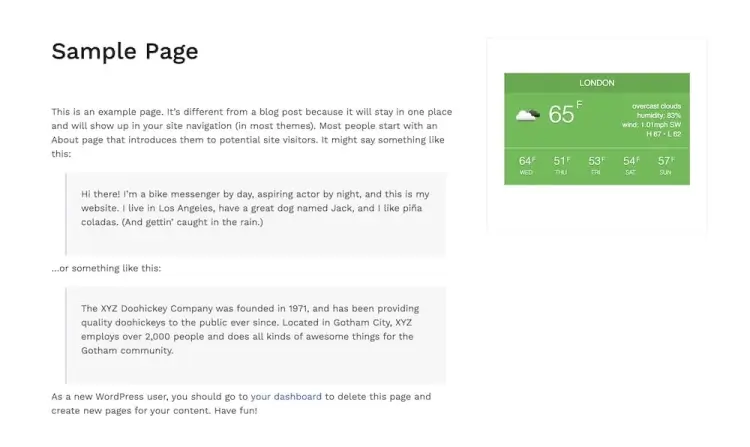
City Weather is a sleek, premium weather plugin that offers a fully customizable widget with a modern, responsive design. The interface is intuitive, enabling users to add weather forecasts to their site with minimal configuration. Its simplicity doesn’t sacrifice functionality—it includes detailed customization options like forecast duration, temperature units, background colors, and font adjustments.
What sets City Weather apart is its balance between usability and visual appeal. Whether you’re running a blog, travel site, or news portal, the plugin’s flexibility ensures a consistent look and feel. It integrates smoothly into mobile and desktop environments, making it a dependable choice for responsive WordPress themes.
At just $16, City Weather is a low-cost yet effective solution for adding real-time weather updates to your site. Backed by a solid 4.5/5 rating and dependable customer support, it helps enhance content quality and user experience without requiring a steep learning curve or developer intervention.
City Weather for WordPress features:
- Fully customizable, responsive weather widget with multiple design options
- Adjustable forecast duration and temperature units (Celsius/Fahrenheit)
- Customizable background colors and fonts to match site branding
- Lightweight and optimized for fast loading on desktop and mobile
- Easy setup with minimal configuration required
2. Weather Forecast
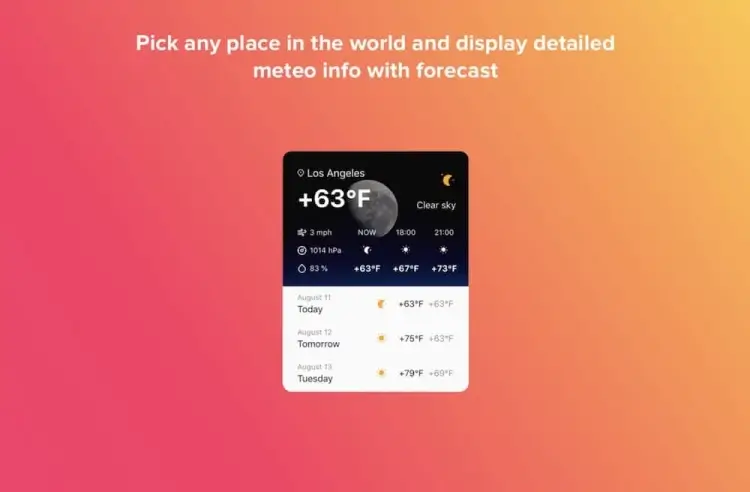
Weather Forecast is a stylish and versatile plugin known for delivering attractive weather widgets with minimal setup. Users can choose from five unique designs that cater to various site layouts and themes. Despite its robust visual appeal, the plugin remains lightweight and easy to implement, making it perfect for site owners who prioritize performance and usability.
The plugin shines in its ability to bridge design and function. Whether you’re a novice or an experienced webmaster, you can deploy weather widgets in minutes without writing a single line of code. Its built-in responsiveness ensures that the display adapts beautifully across all devices, from desktops to smartphones.
With over 540 sales and a 4.6/5 rating, Weather Forecast is a smart buy at approximately $24. It’s an excellent addition for tourism blogs, event websites, or any platform that benefits from timely, visually engaging weather updates.
Weather Forecast features:
- Five unique, stylish widget designs for versatile site integration
- Responsive layout that adapts across devices seamlessly
- Lightweight code ensuring minimal impact on site performance
- Simple, code-free implementation suitable for beginners
- Customizable display options including location and units
3. Simple Weather
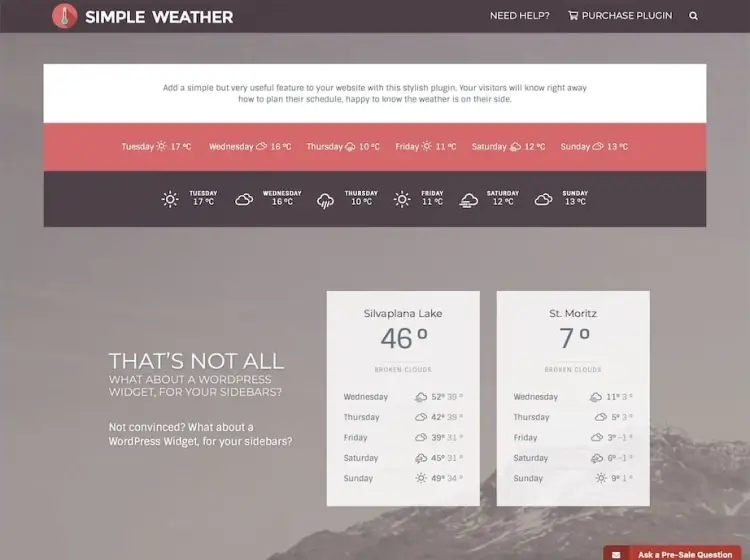
Simple Weather lives up to its name by offering a streamlined solution for adding weather data via shortcodes. It supports both imperial and metric units, offers flexible layout options, and can display daytime or nighttime temperatures based on user preferences. Its multilingual support across 17 languages makes it ideal for international websites.
This plugin is especially useful for users who prefer using shortcodes to manage design elements. Its integration with multilingual and multi-theme sites gives developers and bloggers alike a powerful, adaptable tool without overwhelming complexity. The backend interface is intuitive, making adjustments quick and straightforward.
For around $18, Simple Weather offers good value with 2,800+ sales and a respectable 3.9/5 rating. Its customizable style options, unit conversions, and language adaptability make it a reliable pick for weather-aware audiences across the globe.
Simple Weather features:
- Shortcode-based insertion for flexible placement anywhere on site
- Supports imperial and metric units with toggle options
- Multilingual support covering 17 different languages
- Configurable display for daytime or nighttime temperature views
- Lightweight and easy to configure with straightforward backend
4. Synopter (for Elementor)

Synopter is a highly specialized plugin built exclusively for Elementor users, enabling seamless drag-and-drop integration of weather data into any custom layout. It includes support for CSS filters and even allows users to upload custom SVG icons, giving you complete control over how weather info is displayed visually.
With a perfect 5/5 rating and over 190 sales, Synopter caters to designers and developers who want a weather plugin that feels like a native part of their Elementor workflow. You can easily match the widget to your site’s branding while maintaining full responsiveness and professional styling.
Available for just $12, Synopter is a cost-effective tool for elevating both the design and usability of Elementor-built pages. It’s ideal for users who care deeply about front-end precision, enabling richer user engagement without compromising on aesthetics or functionality.
Synopter (for Elementor) features:
- Deep integration with Elementor for drag-and-drop customization
- Supports CSS filters and upload of custom SVG weather icons
- Fully responsive and visually consistent with Elementor themes
- Lightweight plugin designed specifically for Elementor workflows
- Enables precise styling to perfectly match site branding
5. Always Sunny
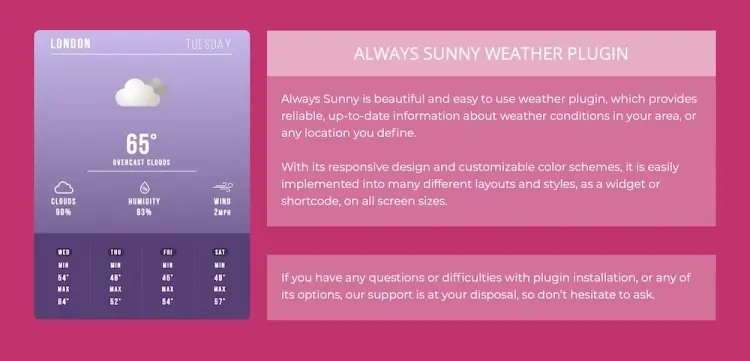
Always Sunny is built for site owners who need to present more than just basic weather info. It offers detailed forecasts covering temperature, humidity, cloud coverage, and more. Users can select between shortcode or widget modes, and toggle between light and dark themes to match their site’s visual tone.
This plugin is praised for its accuracy and depth. It’s perfect for blogs or businesses that require high-detail weather forecasts, such as travel agencies, event planners, or agricultural websites. Its design flexibility ensures that the weather module fits into a variety of site aesthetics without looking out of place.
Priced at approximately $13, Always Sunny punches above its weight with a 4.7/5 rating and over 200 sales. Its comprehensive metrics can add a layer of authority to your site, encouraging visitors to return regularly for updates they can trust.
Always Sunny features:
- Detailed weather forecasts including temperature, humidity, and cloud coverage
- Choice of shortcode or widget modes for flexible placement
- Toggle between light and dark themes to fit site design
- Accurate data ideal for event planning, travel, or agriculture sites
- Designed for easy integration and minimal setup time
FAQ
1. Can I display weather information for multiple cities with these plugins?
Some plugins support multiple locations, but not all. Check the specific plugin features if you need to show weather for several cities or regions.
2. Are weather plugins compatible with popular page builders?
Many plugins, like Synopter for Elementor, offer deep integration with page builders. Others work via widgets or shortcodes, making them versatile across most setups.
3. Do weather plugins update automatically?
Yes, most plugins fetch real-time data via APIs and update forecasts automatically without manual input.
4. Can I customize the weather widget’s appearance?
Most premium plugins provide extensive customization options, including colors, fonts, and layout styles, allowing you to match your site’s look and feel.
5. Will using a weather plugin slow down my website?
Quality plugins optimize data fetching and rendering, minimizing any speed impact. Avoid plugins that excessively load external scripts or make frequent API calls.
Conclusion
Adding weather forecasts to your WordPress site can significantly boost its functionality and user engagement, especially for content that benefits from timely weather insights. Whether you prioritize sleek design, detailed meteorological data, or seamless integration with page builders, the plugins reviewed here cover a broad spectrum of needs and budgets.
By choosing a weather plugin that balances accuracy, customization, and performance, you provide visitors with valuable information that encourages them to stay longer and return frequently. Investing in the right plugin enhances both your site’s professionalism and overall user experience.